Introduction
Welcome to the exciting world of AI-powered applications! I’m Sandra Rodgers, and I’ll be your instructor as we embark on a journey together to create an AI-powered app that uses some of the newest and most powerful AI technologies.
Throughout this course, you’ll learn the skills and techniques needed to create a truly intelligent application that can interact with users, understand natural language, process audio inputs, and even analyze images.
AI Tools and Technologies
You’ll gain hands-on experience working with several well known AI APIs and technologies. These industry-leading platforms will serve as the building blocks of our AI-powered app. Some of the technologies we’ll use are:
- OpenAI:
- We’ll dive into OpenAI’s Chat Completion API, a revolutionary tool that allows our app to engage in natural and dynamic conversations with users.
- Deepgram:
- We’ll use the power of Deepgram’s speech recognition API to transcribe audio files, allowing us to seamlessly integrate audio analysis into our app.
- Replicate:
- We’ll learn about Replicate, a game-changer in open-source AI. We’ll use it to tap into the power of an image analysis model called miniGPT so our app will be able to understand the content of images and respond intelligently to questions about them.
- Langchain:
- We’ll use this technology to empower our app with a unique form of “memory.” With Langchain, our app will be able to remember previous interactions and respond intelligently based on the accumulated knowledge.
What we’ll be building
Now that we’re excited about all the fascinating AI technologies we’re going to learn, let’s take a look at what we’ll be building.
It’s an App that we can use to analyze content - text, audio, or images.
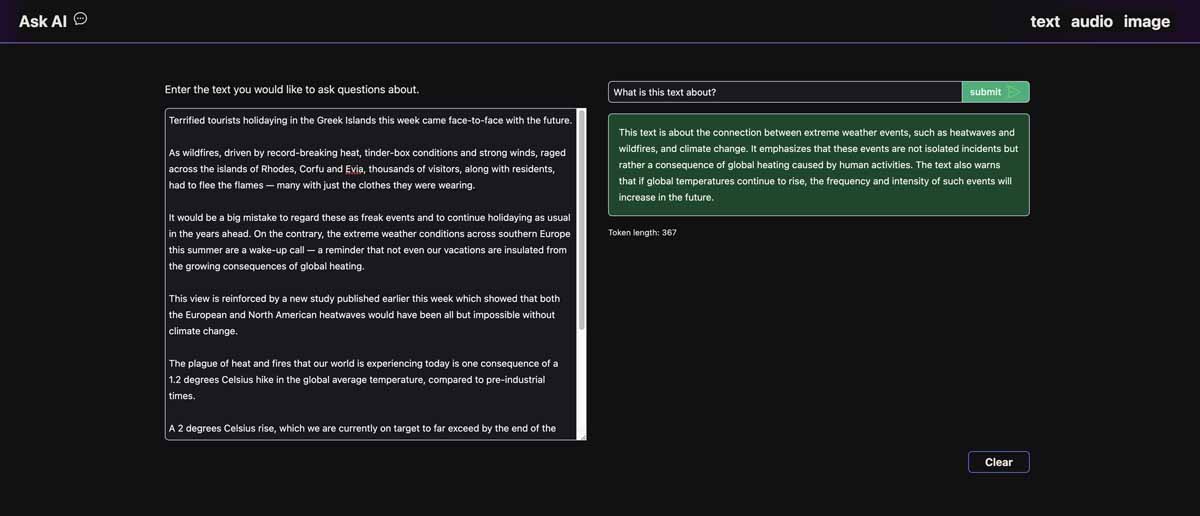
For our Text Analysis feature, we take a text selection, and then ask the AI questions about it, getting a response in return.
It’s composed of several main elements:
- a text area to add in our text
- an input and button to submit a question
- a div to present the AI’s response.
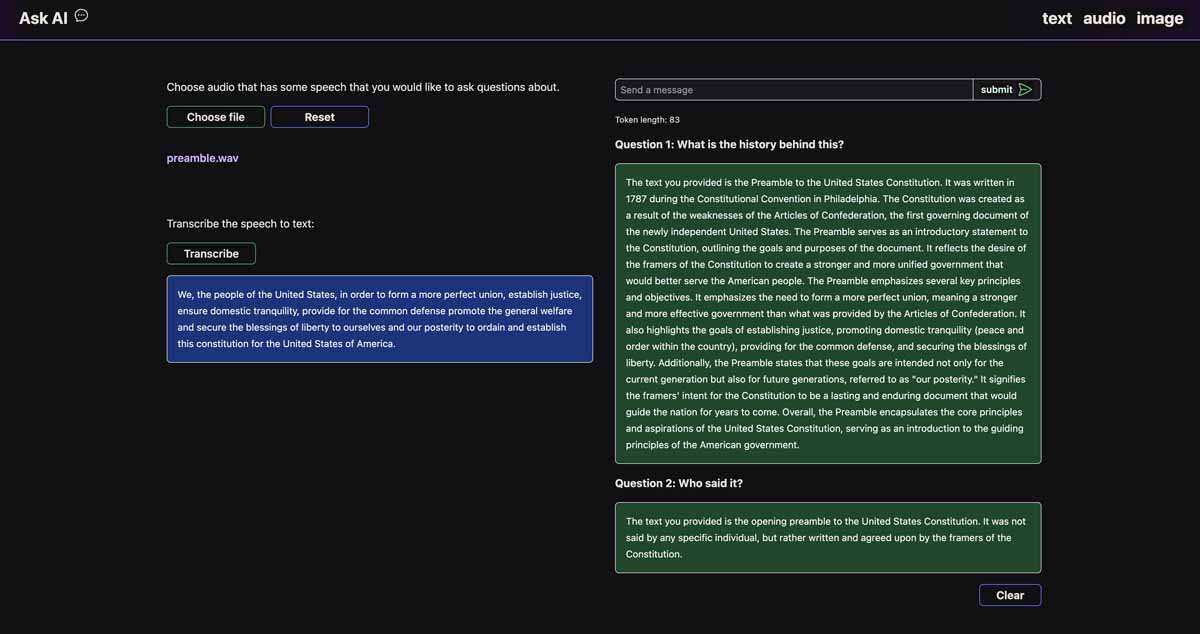
For our Audio Analysis feature, we transcribe an audio file into text. When we have the transcription, we ask the AI questions about it. Transcribing it to text first lets us use the same AI we used for the text analysis feature - the AI analyzes the audio in text form.
This feature is made up of the Transcriber component and a chat window which is similar to the one in the text analysis feature.
We’ll also add functionality to ask multiple questions to the AI so that we can continue to ask it questions about the audio file.
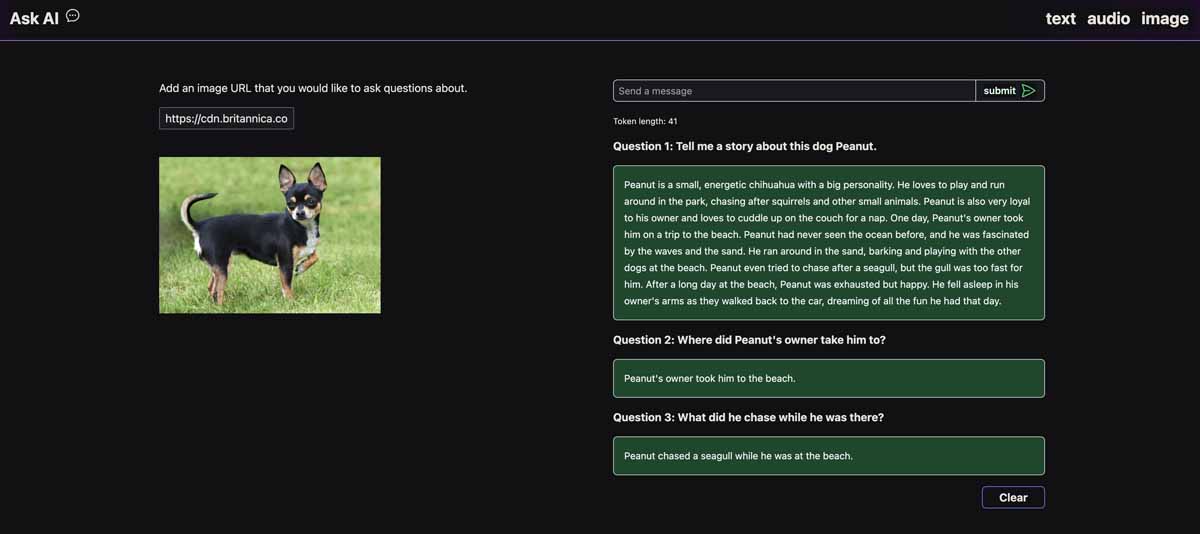
Lastly, we’ll build the Image Analysis feature. For this one, we will add an image url to the input. Then we can ask the AI questions about the image.
We’ll add functionality to be able to ask multiple questions. And we’ll give our AI memory so that it can remember previous questions and answers, holding onto the entire context of the conversation!
Getting Started
We’ll set up our project now so we can jump right into building our AI-Powered App.
The example code for this project can be found in the repo here. I recommend that you clone the project and use the branch called starting-code which contains the code to start building the AI features.
If you would like to see the finished project working, you’ll need to add a .env file. Use the .env-example as the guide to what should go in there. You will need to add your API keys for OpenAI, Deepgram, and Replicate.
We’ll sign up for each of the APIs when we get to later lessons that introduce each API. But if you would like to get a head start so you can see the project working, there are links below to sign up and get your keys for each of the APIs:
Open AI - https://platform.openai.com/signup
Deepgram - https://dpgr.am/deepgram-signup
Replicate - https://replicate.com/
Ready to Build
Now we’re ready to start building! In the next lesson of the course, we’ll learn how to use Open AI’s chat completion API. This is the main technology behind the famous chatGPT. We want to give our app the intelligence it needs to answer questions about text, so we’ll use OpenAI as the brain of our AI-Powered App. Let’s get started!
from https://www.vuemastery.com/courses/programming-an-ai-powered-app/ai-powered-app-introduction/


No comments:
Post a Comment