Total Pageviews

Showing posts with label Machine Learning. Show all posts

Saturday, 28 February 2026

FaceFusion


Industry leading face manipulation platform

facefusion.io   

Installation

Be aware, the installation needs technical skills and is not recommended for beginners. In case you are not comfortable using a terminal, our Windows Installer and macOS Installer get you started.

Usage

Run the command:

python facefusion.py [commands] [options]

options:
  -h, --help                                      show this help message and exit
  -v, --version                                   show program's version number and exit

commands:
    run                                           run the program
    headless-run                                  run the program in headless mode
    batch-run                                     run the program in batch mode
    force-download                                force automate downloads and exit
    benchmark                                     benchmark the program
    job-list                                      list jobs by status
    job-create                                    create a drafted job
    job-submit                                    submit a drafted job to become a queued job
    job-submit-all                                submit all drafted jobs to become a queued jobs
    job-delete                                    delete a drafted, queued, failed or completed job
    job-delete-all                                delete all drafted, queued, failed and completed jobs
    job-add-step                                  add a step to a drafted job
    job-remix-step                                remix a previous step from a drafted job
    job-insert-step                               insert a step to a drafted job
    job-remove-step                               remove a step from a drafted job
    job-run                                       run a queued job
    job-run-all                                   run all queued jobs
    job-retry                                     retry a failed job
    job-retry-all                                 retry all failed jobs

Documentation

Read the documentation for a deep dive.

from  https://github.com/facefusion/facefusion


Tuesday, 24 February 2026

llm-course


Course to get into Large Language Models (LLMs) with roadmaps and Colab notebooks.

  Hugging Face • 💻 Blog • 📙 LLM Engineer's Handbook

LLM Engineer's Handbook CoverThe LLM course is divided into three parts:

  1. 🧩 LLM Fundamentals is optional and covers fundamental knowledge about mathematics, Python, and neural networks.
  2. 🧑‍🔬 The LLM Scientist focuses on building the best possible LLMs using the latest techniques.
  3. 👷 The LLM Engineer focuses on creating LLM-based applications and deploying them.

Note

Based on this course, I co-wrote the LLM Engineer's Handbook, a hands-on book that covers an end-to-end LLM application from design to deployment. The LLM course will always stay free, but you can support my work by purchasing this book.

For a more comprehensive version of this course, check out the DeepWiki.

📝 Notebooks

A list of notebooks and articles I wrote about LLMs.

Toggle section (optional)


Open In Colab


Open In Colab


Open In Colab


Open In Colab


Open In Colab


Open In Colab


Open In Colab


Open In Colab


Open In Colab


Open In Colab


Open In Colab


Open In Colab


Open In Colab


Open In Colab


Open In Colab


Open In Colab


Open In Colab


Open In Colab


Open In Colab


Open In Colab


Open In Colab


Open In Colab


Open In Colab

🧩 LLM Fundamentals

This section introduces essential knowledge about mathematics, Python, and neural networks. You might not want to start here but refer to it as needed.

Toggle section (optional)


🧑‍🔬 The LLM Scientist

This section of the course focuses on learning how to build the best possible LLMs using the latest techniques.

1. The LLM Architecture

An in-depth knowledge of the Transformer architecture is not required, but it's important to understand the main steps of modern LLMs: converting text into numbers through tokenization, processing these tokens through layers including attention mechanisms, and finally generating new text through various sampling strategies.

  • Architectural overview: Understand the evolution from encoder-decoder Transformers to decoder-only architectures like GPT, which form the basis of modern LLMs. Focus on how these models process and generate text at a high level.
  • Tokenization: Learn the principles of tokenization - how text is converted into numerical representations that LLMs can process. Explore different tokenization strategies and their impact on model performance and output quality.
  • Attention mechanisms: Master the core concepts of attention mechanisms, particularly self-attention and its variants. Understand how these mechanisms enable LLMs to process long-range dependencies and maintain context throughout sequences.
  • Sampling techniques: Explore various text generation approaches and their tradeoffs. Compare deterministic methods like greedy search and beam search with probabilistic approaches like temperature sampling and nucleus sampling.

📚 References:

  • Visual intro to Transformers by 3Blue1Brown: Visual introduction to Transformers for complete beginners.
  • LLM Visualization by Brendan Bycroft: Interactive 3D visualization of LLM internals.
  • nanoGPT by Andrej Karpathy: A 2h-long YouTube video to reimplement GPT from scratch (for programmers). He also made a video about tokenization.
  • Attention? Attention! by Lilian Weng: Historical overview to introduce the need for attention mechanisms.
  • Decoding Strategies in LLMs by Maxime Labonne: Provide code and a visual introduction to the different decoding strategies to generate text.

2. Pre-Training Models

Pre-training is a computationally intensive and expensive process. While it's not the focus of this course, it's important to have a solid understanding of how models are pre-trained, especially in terms of data and parameters. Pre-training can also be performed by hobbyists at a small scale with <1B models.

  • Data preparation: Pre-training requires massive datasets (e.g., Llama 3.1 was trained on 15 trillion tokens) that need careful curation, cleaning, deduplication, and tokenization. Modern pre-training pipelines implement sophisticated filtering to remove low-quality or problematic content.
  • Distributed training: Combine different parallelization strategies: data parallel (batch distribution), pipeline parallel (layer distribution), and tensor parallel (operation splitting). These strategies require optimized network communication and memory management across GPU clusters.
  • Training optimization: Use adaptive learning rates with warm-up, gradient clipping, and normalization to prevent explosions, mixed-precision training for memory efficiency, and modern optimizers (AdamW, Lion) with tuned hyperparameters.
  • Monitoring: Track key metrics (loss, gradients, GPU stats) using dashboards, implement targeted logging for distributed training issues, and set up performance profiling to identify bottlenecks in computation and communication across devices.

📚 References:

  • FineWeb by Penedo et al.: Article to recreate a large-scale dataset for LLM pretraining (15T), including FineWeb-Edu, a high-quality subset.
  • RedPajama v2 by Weber et al.: Another article and paper about a large-scale pre-training dataset with a lot of interesting quality filters.
  • nanotron by Hugging Face: Minimalistic LLM training codebase used to make SmolLM2.
  • Parallel training by Chenyan Xiong: Overview of optimization and parallelism techniques.
  • Distributed training by Duan et al.: A survey about efficient training of LLM on distributed architectures.
  • OLMo 2 by AI2: Open-source language model with model, data, training, and evaluation code.
  • LLM360 by LLM360: A framework for open-source LLMs with training and data preparation code, data, metrics, and models.

3. Post-Training Datasets

Post-training datasets have a precise structure with instructions and answers (supervised fine-tuning) or instructions and chosen/rejected answers (preference alignment). Conversational structures are a lot rarer than the raw text used for pre-training, which is why we often need to process seed data and refine it to improve the accuracy, diversity, and complexity of the samples. More information and examples are available in my repo 💾 LLM Datasets.

  • Storage & chat templates: Because of the conversational structure, post-training datasets are stored in a specific format like ShareGPT or OpenAI/HF. Then, these formats are mapped to a chat template like ChatML or Alpaca to produce the final samples that the model is trained on.
  • Synthetic data generation: Create instruction-response pairs based on seed data using frontier models like GPT-4o. This approach allows for flexible and scalable dataset creation with high-quality answers. Key considerations include designing diverse seed tasks and effective system prompts.
  • Data enhancement: Enhance existing samples using techniques like verified outputs (using unit tests or solvers), multiple answers with rejection sampling, Auto-Evol, Chain-of-Thought, Branch-Solve-Merge, personas, etc.
  • Quality filtering: Traditional techniques involve rule-based filtering, removing duplicates or near-duplicates (with MinHash or embeddings), and n-gram decontamination. Reward models and judge LLMs complement this step with fine-grained and customizable quality control.

📚 References:

  • Synthetic Data Generator by Argilla: Beginner-friendly way of building datasets using natural language in a Hugging Face space.
  • LLM Datasets by Maxime Labonne: Curated list of datasets and tools for post-training.
  • NeMo-Curator by Nvidia: Dataset preparation and curation framework for pre- and post-training data.
  • Distilabel by Argilla: Framework to generate synthetic data. It also includes interesting reproductions of papers like UltraFeedback.
  • Semhash by MinishLab: Minimalistic library for near-deduplication and decontamination with a distilled embedding model.
  • Chat Template by Hugging Face: Hugging Face's documentation about chat templates.

4. Supervised Fine-Tuning

SFT turns base models into helpful assistants, capable of answering questions and following instructions. During this process, they learn how to structure answers and reactivate a subset of knowledge learned during pre-training. Instilling new knowledge is possible but superficial: it cannot be used to learn a completely new language. Always prioritize data quality over parameter optimization.

  • Training techniques: Full fine-tuning updates all model parameters but requires significant compute. Parameter-efficient fine-tuning techniques like LoRA and QLoRA reduce memory requirements by training a small number of adapter parameters while keeping base weights frozen. QLoRA combines 4-bit quantization with LoRA to reduce VRAM usage. These techniques are all implemented in the most popular fine-tuning frameworks: TRL, Unsloth, and Axolotl.
  • Training parameters: Key parameters include learning rate with schedulers, batch size, gradient accumulation, number of epochs, optimizer (like 8-bit AdamW), weight decay for regularization, and warmup steps for training stability. LoRA also adds three parameters: rank (typically 16-128), alpha (1-2x rank), and target modules.
  • Distributed training: Scale training across multiple GPUs using DeepSpeed or FSDP. DeepSpeed provides three ZeRO optimization stages with increasing levels of memory efficiency through state partitioning. Both methods support gradient checkpointing for memory efficiency.
  • Monitoring: Track training metrics including loss curves, learning rate schedules, and gradient norms. Monitor for common issues like loss spikes, gradient explosions, or performance degradation.

📚 References:

  • Fine-tune Llama 3.1 Ultra-Efficiently with Unsloth by Maxime Labonne: Hands-on tutorial on how to fine-tune a Llama 3.1 model using Unsloth.
  • Axolotl - Documentation by Wing Lian: Lots of interesting information related to distributed training and dataset formats.
  • Mastering LLMs by Hamel Husain: Collection of educational resources about fine-tuning (but also RAG, evaluation, applications, and prompt engineering).
  • LoRA insights by Sebastian Raschka: Practical insights about LoRA and how to select the best parameters.

5. Preference Alignment

Preference alignment is a second stage in the post-training pipeline, focused on aligning generated answers with human preferences. This stage was designed to tune the tone of LLMs and reduce toxicity and hallucinations. However, it has become increasingly important to also boost their performance and improve their usefulness. Unlike SFT, there are many preference alignment algorithms. Here, we'll focus on the three most important ones: DPO, GRPO, and PPO.

  • Rejection sampling: For each prompt, use the trained model to generate multiple responses, and score them to infer chosen/rejected answers. This creates on-policy data, where both responses come from the model being trained, improving alignment stability.
  • Direct Preference Optimization Directly optimizes the policy to maximize the likelihood of chosen responses over rejected ones. It doesn't require reward modeling, which makes it more computationally efficient than RL techniques but slightly worse in terms of quality. Great for creating chat models.
  • Reward model: Train a reward model with human feedback to predict metrics like human preferences. It can leverage frameworks like TRL, verl, and OpenRLHF for scalable training.
  • Reinforcement Learning: RL techniques like GRPO and PPO iteratively update a policy to maximize rewards while staying close to the initial behavior. They can use a reward model or reward functions to score responses. They tend to be computationally expensive and require careful tuning of hyperparameters, including learning rate, batch size, and clip range. Ideal for creating reasoning models.

📚 References:


6. Evaluation

Reliably evaluating LLMs is a complex but essential task guiding data generation and training. It provides invaluable feedback about areas of improvement, which can be leveraged to modify the data mixture, quality, and training parameters. However, it's always good to remember Goodhart's law: "When a measure becomes a target, it ceases to be a good measure."

  • Automated benchmarks: Evaluate models on specific tasks using curated datasets and metrics, like MMLU. It works well for concrete tasks but struggles with abstract and creative capabilities. It is also prone to data contamination.
  • Human evaluation: It involves humans prompting models and grading responses. Methods range from vibe checks to systematic annotations with specific guidelines and large-scale community voting (arena). It is more suited for subjective tasks and less reliable for factual accuracy.
  • Model-based evaluation: Use judge and reward models to evaluate model outputs. It highly correlates with human preferences but suffers from bias toward their own outputs and inconsistent scoring.
  • Feedback signal: Analyze error patterns to identify specific weaknesses, such as limitations in following complex instructions, lack of specific knowledge, or susceptibility to adversarial prompts. This can be improved with better data generation and training parameters.

📚 References:

  • LLM evaluation guidebook by Hugging Face: Comprehensive guide about evaluation with practical insights.
  • Open LLM Leaderboard by Hugging Face: Main leaderboard to compare LLMs in an open and reproducible way (automated benchmarks).
  • Language Model Evaluation Harness by EleutherAI: A popular framework for evaluating LLMs using automated benchmarks.
  • Lighteval by Hugging Face: Alternative evaluation framework that also includes model-based evaluations.
  • Chatbot Arena by LMSYS: Elo rating of general-purpose LLMs, based on comparisons made by humans (human evaluation).

7. Quantization

Quantization is the process of converting the parameters and activations of a model to a lower precision. For example, weights stored using 16 bits can be converted into a 4-bit representation. This technique has become increasingly important to reduce the computational and memory costs associated with LLMs.

  • Base techniques: Learn the different levels of precision (FP32, FP16, INT8, etc.) and how to perform naïve quantization with absmax and zero-point techniques.
  • GGUF & llama.cpp: Originally designed to run on CPUs, llama.cpp and the GGUF format have become the most popular tools to run LLMs on consumer-grade hardware. It supports storing special tokens, vocabulary, and metadata in a single file.
  • GPTQ & AWQ: Techniques like GPTQ/EXL2 and AWQ introduce layer-by-layer calibration that retains performance at extremely low bitwidths. They reduce catastrophic outliers using dynamic scaling, selectively skipping or re-centering the heaviest parameters.
  • SmoothQuant & ZeroQuant: New quantization-friendly transformations (SmoothQuant) and compiler-based optimizations (ZeroQuant) help mitigate outliers before quantization. They also reduce hardware overhead by fusing certain ops and optimizing dataflow.

📚 References:


8. New Trends

Here are notable topics that didn't fit into other categories. Some are established techniques (model merging, multimodal), but others are more experimental (interpretability, test-time compute scaling) and the focus of numerous research papers.

  • Model merging: Merging trained models has become a popular way of creating performant models without any fine-tuning. The popular mergekit library implements the most popular merging methods, like SLERP, DARE, and TIES.
  • Multimodal models: These models (like CLIP, Stable Diffusion, or LLaVA) process multiple types of inputs (text, images, audio, etc.) with a unified embedding space, which unlocks powerful applications like text-to-image.
  • Interpretability: Mechanistic interpretability techniques like Sparse Autoencoders (SAEs) have made remarkable progress to provide insights about the inner workings of LLMs. This has also been applied with techniques such as abliteration, which allow you to modify the behavior of models without training.
  • Test-time compute: Reasoning models trained with RL techniques can be further improved by scaling the compute budget during test time. It can involve multiple calls, MCTS, or specialized models like a Process Reward Model (PRM). Iterative steps with precise scoring significantly improve performance for complex reasoning tasks.

📚 References:

👷 The LLM Engineer

This section of the course focuses on learning how to build LLM-powered applications that can be used in production, with a focus on augmenting models and deploying them.

1. Running LLMs

Running LLMs can be difficult due to high hardware requirements. Depending on your use case, you might want to simply consume a model through an API (like GPT-4) or run it locally. In any case, additional prompting and guidance techniques can improve and constrain the output for your applications.

  • LLM APIs: APIs are a convenient way to deploy LLMs. This space is divided between private LLMs (OpenAI, Google, Anthropic, etc.) and open-source LLMs (OpenRouter, Hugging Face, Together AI, etc.).
  • Open-source LLMs: The Hugging Face Hub is a great place to find LLMs. You can directly run some of them in Hugging Face Spaces, or download and run them locally in apps like LM Studio or through the CLI with llama.cpp or ollama.
  • Prompt engineering: Common techniques include zero-shot prompting, few-shot prompting, chain of thought, and ReAct. They work better with bigger models, but can be adapted to smaller ones.
  • Structuring outputs: Many tasks require a structured output, like a strict template or a JSON format. Libraries like Outlines can be used to guide the generation and respect a given structure. Some APIs also support structured output generation natively using JSON schemas.

📚 References:


2. Building a Vector Storage

Creating a vector storage is the first step to building a Retrieval Augmented Generation (RAG) pipeline. Documents are loaded, split, and relevant chunks are used to produce vector representations (embeddings) that are stored for future use during inference.

  • Ingesting documents: Document loaders are convenient wrappers that can handle many formats: PDF, JSON, HTML, Markdown, etc. They can also directly retrieve data from some databases and APIs (GitHub, Reddit, Google Drive, etc.).
  • Splitting documents: Text splitters break down documents into smaller, semantically meaningful chunks. Instead of splitting text after n characters, it's often better to split by header or recursively, with some additional metadata.
  • Embedding models: Embedding models convert text into vector representations. Picking task-specific models significantly improves performance for semantic search and RAG.
  • Vector databases: Vector databases (like Chroma, Pinecone, Milvus, FAISS, Annoy, etc.) are designed to store embedding vectors. They enable efficient retrieval of data that is 'most similar' to a query based on vector similarity.

📚 References:


3. Retrieval Augmented Generation

With RAG, LLMs retrieve contextual documents from a database to improve the accuracy of their answers. RAG is a popular way of augmenting the model's knowledge without any fine-tuning.

  • Orchestrators: Orchestrators like LangChain and LlamaIndex are popular frameworks to connect your LLMs with tools and databases. The Model Context Protocol (MCP) introduces a new standard to pass data and context to models across providers.
  • Retrievers: Query rewriters and generative retrievers like CoRAG and HyDE enhance search by transforming user queries. Multi-vector and hybrid retrieval methods combine embeddings with keyword signals to improve recall and precision.
  • Memory: To remember previous instructions and answers, LLMs and chatbots like ChatGPT add this history to their context window. This buffer can be improved with summarization (e.g., using a smaller LLM), a vector store + RAG, etc.
  • Evaluation: We need to evaluate both the document retrieval (context precision and recall) and the generation stages (faithfulness and answer relevancy). It can be simplified with tools Ragas and DeepEval (assessing quality).

📚 References:


4. Advanced RAG

Real-life applications can require complex pipelines, including SQL or graph databases, as well as automatically selecting relevant tools and APIs. These advanced techniques can improve a baseline solution and provide additional features.

  • Query construction: Structured data stored in traditional databases requires a specific query language like SQL, Cypher, metadata, etc. We can directly translate the user instruction into a query to access the data with query construction.
  • Tools: Agents augment LLMs by automatically selecting the most relevant tools to provide an answer. These tools can be as simple as using Google or Wikipedia, or more complex, like a Python interpreter or Jira.
  • Post-processing: Final step that processes the inputs that are fed to the LLM. It enhances the relevance and diversity of documents retrieved with re-ranking, RAG-fusion, and classification.
  • Program LLMs: Frameworks like DSPy allow you to optimize prompts and weights based on automated evaluations in a programmatic way.

📚 References:


5. Agents

An LLM agent can autonomously perform tasks by taking actions based on reasoning about its environment, typically through the use of tools or functions to interact with external systems.

  • Agent fundamentals: Agents operate using thoughts (internal reasoning to decide what to do next), action (executing tasks, often by interacting with external tools), and observation (analyzing feedback or results to refine the next step).
  • Agent protocols: Model Context Protocol (MCP) is the industry standard for connecting agents to external tools and data sources with MCP servers and clients. More recently, Agent2Agent (A2A) tries to standardize a common language for agent interoperability.
  • Vendor frameworks: Each major cloud model provider has its own agentic framework with OpenAI SDK, Google ADK, and Claude Agent SDK if you're particularly tied to one vendor.
  • Other frameworks: Agent development can be streamlined using different frameworks like LangGraph (design and visualization of workflows) LlamaIndex (data-augmented agents with RAG), or custom solutions. More experimental frameworks include collaboration between different agents, such as CrewAI (role-based team workflows) and AutoGen (conversation-driven multi-agent systems).

📚 References:

  • Agents Course: Popular course about AI agents made by Hugging Face.
  • LangGraph: Overview of how to build AI agents with LangGraph.
  • LlamaIndex Agents: Uses cases and resources to build agents with LlamaIndex.

6. Inference optimization

Text generation is a costly process that requires expensive hardware. In addition to quantization, various techniques have been proposed to maximize throughput and reduce inference costs.

  • Flash Attention: Optimization of the attention mechanism to transform its complexity from quadratic to linear, speeding up both training and inference.
  • Key-value cache: Understand the key-value cache and the improvements introduced in Multi-Query Attention (MQA) and Grouped-Query Attention (GQA).
  • Speculative decoding: Use a small model to produce drafts that are then reviewed by a larger model to speed up text generation. EAGLE-3 is a particularly popular solution.

📚 References:

  • GPU Inference by Hugging Face: Explain how to optimize inference on GPUs.
  • LLM Inference by Databricks: Best practices for how to optimize LLM inference in production.
  • Optimizing LLMs for Speed and Memory by Hugging Face: Explain three main techniques to optimize speed and memory, namely quantization, Flash Attention, and architectural innovations.
  • Assisted Generation by Hugging Face: HF's version of speculative decoding. It's an interesting blog post about how it works with code to implement it.
  • EAGLE-3 paper: Introduces EAGLE-3 and reports speedups up to 6.5×.
  • Speculators: Library made by vLLM for building, evaluating, and storing speculative decoding algorithms (e.g., EAGLE-3) for LLM inference.

7. Deploying LLMs

Deploying LLMs at scale is an engineering feat that can require multiple clusters of GPUs. In other scenarios, demos and local apps can be achieved with much lower complexity.

  • Local deployment: Privacy is an important advantage that open-source LLMs have over private ones. Local LLM servers (LM Studio, Ollama, oobabooga, kobold.cpp, etc.) capitalize on this advantage to power local apps.
  • Demo deployment: Frameworks like Gradio and Streamlit are helpful to prototype applications and share demos. You can also easily host them online, for example, using Hugging Face Spaces.
  • Server deployment: Deploying LLMs at scale requires cloud (see also SkyPilot) or on-prem infrastructure and often leverages optimized text generation frameworks like TGI, vLLM, etc.
  • Edge deployment: In constrained environments, high-performance frameworks like MLC LLM and mnn-llm can deploy LLM in web browsers, Android, and iOS.

📚 References:


8. Securing LLMs

In addition to traditional security problems associated with software, LLMs have unique weaknesses due to the way they are trained and prompted.

  • Prompt hacking: Different techniques related to prompt engineering, including prompt injection (additional instruction to hijack the model's answer), data/prompt leaking (retrieve its original data/prompt), and jailbreaking (craft prompts to bypass safety features).
  • Backdoors: Attack vectors can target the training data itself, by poisoning the training data (e.g., with false information) or creating backdoors (secret triggers to change the model's behavior during inference).
  • Defensive measures: The best way to protect your LLM applications is to test them against these vulnerabilities (e.g., using red teaming and checks like garak) and observe them in production (with a framework like langfuse).

📚 References:


Acknowledgements

This roadmap was inspired by the excellent DevOps Roadmap from Milan Milanović and Romano Roth.

Special thanks to:

  • Thomas Thelen for motivating me to create a roadmap
  • André Frade for his input and review of the first draft
  • Dino Dunn for providing resources about LLM security
  • Magdalena Kuhn for improving the "human evaluation" part
  • Odoverdose for suggesting 3Blue1Brown's video about Transformers
  • Everyone who contributed to the educational references in this course :)

from  https://github.com/mlabonne/llm-course

Thursday, 22 January 2026

自动解决验证码的开源浏览器插件-Buster


Buster: Captcha Solver for Humans是一款帮人类解决验证码(CAPTCHA)难题的开源浏览器插件,基于JavaScript编写,遵守GPL3.0开源协议。

核心功能:

    语音识别破解音频验证码
    Buster 的核心功能是解决 reCAPTCHA 的音频挑战。用户只需点击扩展按钮,即可通过语音识别技术自动完成验证,尤其对视觉障碍者友好。此外,它还能处理图像验证码(如扭曲文字、交通灯识别等),结合机器学习(ML)和光学字符识别(OCR)技术,模拟人类感知逻辑,准确率高达 98%。
    多平台与浏览器支持
    支持 Chrome、Edge、Firefox 和 Opera 等主流浏览器,并提供 Windows、Linux 和 macOS 的客户端应用程序,通过模拟用户交互(如鼠标移动)提升验证成功率。
    隐私保护承诺
    开发者明确声明不收集任何个人数据,用户操作全程匿名,隐私政策透明可查。

使用场景与优势
    隐身模式与 VPN 用户:在隐身模式或使用 VPN 时,验证码出现频率显著增加,Buster 可一键解决弹窗困扰。
    无障碍访问:为视觉或认知障碍者提供平等访问服务的机会,例如通过音频验证码替代图像识别。

源代码:https://github.com/Demian-Oliveira/Mesto-captcha-buster

Sunday, 7 December 2025

Tesseract,开源的OCR Engine


Tesseract Open Source OCR Engine (main repository)

tesseract-ocr.github.io/ 

Tesseract OCR

Coverity Scan Build Status CodeQL OSS-Fuzz
GitHub license Downloads

Table of Contents

About

This package contains an OCR engine - libtesseract and a command line program - tesseract.

Tesseract 4 adds a new neural net (LSTM) based OCR engine which is focused on line recognition, but also still supports the legacy Tesseract OCR engine of Tesseract 3 which works by recognizing character patterns. Compatibility with Tesseract 3 is enabled by using the Legacy OCR Engine mode (--oem 0). It also needs traineddata files which support the legacy engine, for example those from the tessdata repository.

Stefan Weil is the current lead developer. Ray Smith was the lead developer until 2017. The maintainer is Zdenko Podobny. For a list of contributors see AUTHORS and GitHub's log of contributors.

Tesseract has unicode (UTF-8) support, and can recognize more than 100 languages "out of the box".

Tesseract supports various image formats including PNG, JPEG and TIFF.

Tesseract supports various output formats: plain text, hOCR (HTML), PDF, invisible-text-only PDF, TSV, ALTO and PAGE.

You should note that in many cases, in order to get better OCR results, you'll need to improve the quality of the image you are giving Tesseract.

This project does not include a GUI application. If you need one, please see the 3rdParty documentation.

Tesseract can be trained to recognize other languages. See Tesseract Training for more information.

Brief history

Tesseract was originally developed at Hewlett-Packard Laboratories Bristol UK and at Hewlett-Packard Co, Greeley Colorado USA between 1985 and 1994, with some more changes made in 1996 to port to Windows, and some C++izing in 1998. In 2005 Tesseract was open sourced by HP. From 2006 until August 2017 it was developed by Google.

Major version 5 is the current stable version and started with release 5.0.0 on November 30, 2021. Newer minor versions and bugfix versions are available from GitHub.

Latest source code is available from main branch on GitHub. Open issues can be found in issue tracker, and planning documentation.

See Release Notes and Change Log for more details of the releases.

Installing Tesseract

You can either Install Tesseract via pre-built binary package or build it from source.

Before building Tesseract from source, please check that your system has a compiler which is one of the supported compilers.

Running Tesseract

Basic command line usage:

tesseract imagename outputbase [-l lang] [--oem ocrenginemode] [--psm pagesegmode] [configfiles...]

For more information about the various command line options use tesseract --help or man tesseract.

Examples can be found in the documentation.

For developers

Developers can use libtesseract C or C++ API to build their own application. If you need bindings to libtesseract for other programming languages, please see the wrapper section in the AddOns documentation.

Documentation of Tesseract generated from source code by doxygen can be found on tesseract-ocr.github.io.

Support

Before you submit an issue, please review the guidelines for this repository.

For support, first read the documentation, particularly the FAQ to see if your problem is addressed there. If not, search the Tesseract user forum, the Tesseract developer forum and past issues, and if you still can't find what you need, ask for support in the mailing-lists.

Mailing-lists:

Please report an issue onlyhttps://github.com/tesseract-ocr/tesseract for a bug, not for asking questions.

from  https://github.com/tesseract-ocr/tesseract

( https://github.com/UB-Mannheim/tesseract)

related post:

 https://briteming.blogspot.com/2011/12/ubuntu-desktoppytesser.html

 https://briteming.blogspot.com/2022/03/ocrmypdf.html

Tuesday, 3 December 2024

handson-ml2

A series of Jupyter notebooks that walk you through the fundamentals of Machine Learning and Deep Learning in Python using Scikit-Learn, Keras and TensorFlow 2. 

notebooks are available at ageron/handson-ml3 and contain more up-to-date code.

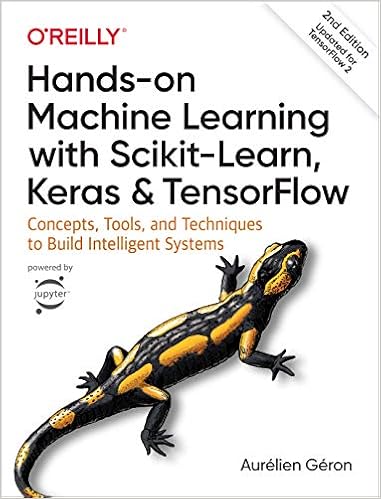
This project aims at teaching you the fundamentals of Machine Learning in python. It contains the example code and solutions to the exercises in the second edition of my O'Reilly book Hands-on Machine Learning with Scikit-Learn, Keras and TensorFlow:

Note: If you are looking for the first edition notebooks, check out ageron/handson-ml. For the third edition, check out ageron/handson-ml3.

Quick Start

Want to play with these notebooks online without having to install anything?

Use any of the following services (I recommended Colab or Kaggle, since they offer free GPUs and TPUs).

WARNING: Please be aware that these services provide temporary environments: anything you do will be deleted after a while, so make sure you download any data you care about.

  • Open In Colab

  • Open in Kaggle

  • Launch binder

  • Launch in Deepnote

Just want to quickly look at some notebooks, without executing any code?

  • Render nbviewer

  • github.com's notebook viewer also works but it's not ideal: it's slower, the math equations are not always displayed correctly, and large notebooks often fail to open.

Want to run this project using a Docker image?

Read the Docker instructions.

Want to install this project on your own machine?

Start by installing Anaconda (or Miniconda), git, and if you have a TensorFlow-compatible GPU, install the GPU driver, as well as the appropriate version of CUDA and cuDNN (see TensorFlow's documentation for more details).

Next, clone this project by opening a terminal and typing the following commands (do not type the first $ signs on each line, they just indicate that these are terminal commands):

$ git clone https://github.com/ageron/handson-ml2.git
$ cd handson-ml2

Next, run the following commands:

$ conda env create -f environment.yml
$ conda activate tf2
$ python -m ipykernel install --user --name=python3

Finally, start Jupyter:

$ jupyter notebook

If you need further instructions, read the detailed installation instructions.

FAQ

Which Python version should I use?

I recommend Python 3.8. If you follow the installation instructions above, that's the version you will get. Most code will work with other versions of Python 3, but some libraries do not support Python 3.9 or 3.10 yet, which is why I recommend Python 3.8.

I'm getting an error when I call load_housing_data()

Make sure you call fetch_housing_data() before you call load_housing_data(). If you're getting an HTTP error, make sure you're running the exact same code as in the notebook (copy/paste it if needed). If the problem persists, please check your network configuration.

I'm getting an SSL error on MacOSX

You probably need to install the SSL certificates (see this StackOverflow question). If you downloaded Python from the official website, then run /Applications/Python\ 3.8/Install\ Certificates.command in a terminal (change 3.8 to whatever version you installed). If you installed Python using MacPorts, run sudo port install curl-ca-bundle in a terminal.

I've installed this project locally. How do I update it to the latest version?

See INSTALL.md

How do I update my Python libraries to the latest versions, when using Anaconda?

See INSTALL.md

from https://github.com/ageron/handson-ml2