https://776789.xyz ,
开源HTML工具集-大道至简
笔者的话:
- bootstrap页面美化可以好好学一学
- 实战教程不用做了,到时候做vue的实战
笔者的话:
除非对自己的配色和审美有绝对自信,简单学一学就可以了,开发可以用bootstrap。
笔者的话:
JavaScript的入门曲线不算曲折,但是深入后很复杂,潜力也很大。要了解基本的语法,但是不必太过于详细的、花太多时间去学习基础。把时间花在vue这类的框架上更有价值。
https://bazinga.tools
The best all-in-one toolbox. Bazinga!
First, install dependencies:
npm installSecond, run the development server:
npm run devOpen http://localhost:3000 with your browser to see the result. The page auto-updates as you edit the file.
All tools are located at pages/. To add a new tool, just follow the convention of the exsiting tools. The tech stack is TypeScript + React + CSS Modules.
Your feedback and contributions are welcome!
from https://github.com/luin/bazinga
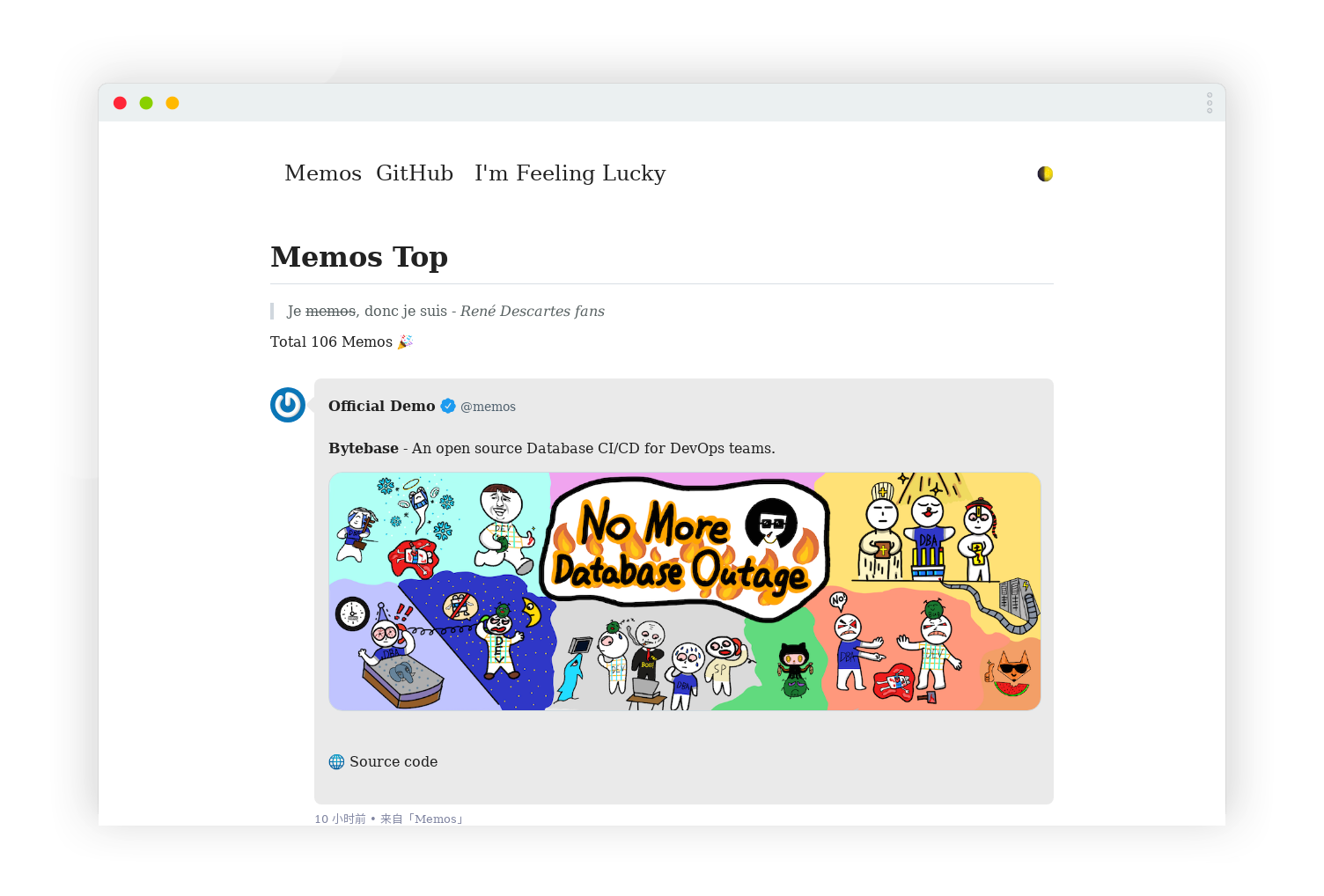
Memos Top. 通过 Memos API 渲染的静态网页。
简单的 HTML、纯净的 CSS、原生的 JS。


Live Demo • I'm Feeling Lucky ✍
中文 | English
Tip
已支持老版(< v0.22.0)和新版(>= v0.22.0)两种 API,请配置 APIVersion
Note
如果你想把你的 Mastodon(长毛象)的嘟文嵌入到自己的网页中,你可以参考这个项目。
https://github.com/eallion/mastodon-embed-timeline
• 暗黑模式适配
• 移动端自适应
clone本仓库或下载后部署.git clone https://github.com/eallion/memos.top
在 index.html 文件中调整以下设置:
<script type="text/javascript">
  var memos = {
    host: 'https://demo.usememos.com/', // 修改为自己部署 Memos 的网址,末尾有 / 斜杠。
    limit: '10', // 每页显示的条数,默认显示 10 条。
    creatorId: '1', // 老的实例是 101,新的实例是 1。https://demo.usememos.com/u/1
    domId: '#memos', // 默认为 #memos,一般不用修改。
    username: 'memos', // 自定义显示在前端的 ID。
    name: 'Official Demo', // 自定义显示在前端的全名。
    language: 'zh-CN', // `en` `zh-CN` 等,用于显示相对时间。
    APIVersion: 'new', // `new` 或者 `legacy`,Memos API 版本,小于 `v0.22.0`: 填写:`legacy`,大于等于 `v0.22.0`:填写`new`。
    total: true, // 显示 Memos 总条数。新版没有好办法显示,老版本也关闭了 Amount API。
    doubanAPI: '', // 填入一个 API 渲染豆瓣条目,不填不渲染,只显示 URL,自建 API:https://github.com/eallion/douban-api-rs
  }
</script>在 assets/img 目录中,替换成自己的图标和头像。
logo.webp 是网站图标,显示在浏览器标签上。
avatar.jpg 是头像,显示在每条 Memos 的左侧。
待办:获取 Memos 的默认头像:https://memos.apidocumentation.com/reference#tag/userservice/GET/file/{name}/avatar
上传 index.html 文件 assets 目录及目录中的所有文件到网站根目录。
memos.top 仓库的设置 - Setting - Pages - Deploy from a branch - Branch(main/root)DeployTodo:
你也可以把这个静态页面部署到 Cloudflare Pages 或者 Netlify 等平台。
BV/AV号。暂不支持b23.tv链接。https://www.bilibili.com/video/BV1Sd4y1b7yg/
https://www.youtube.com/watch?v=mNK6h1dfy2o
https://v.youku.com/v_show/id_XNTkyMjkxNTEyOA==.html
https://v.qq.com/x/cover/mzc00200z47sdeu/m0044zpag6c.html
track/album。https://open.spotify.com/track/6Uq8BnOxvXJsQiJ2XqfO5P
https://music.163.com/#/song?id=4153490
sondmid 不支持 songid。https://y.qq.com/n/ryqq/songDetail/004W3BfK46dMXk from https://github.com/eallion/memos.top
One of the core decisions web developers must make is where to implement logic and rendering in their application. This can be difficult because there are so many ways to build a website.
Our understanding of this space is informed by our work in Chrome talking to large sites over the past few years. Broadly speaking, we encourage developers to consider server-side rendering or static rendering over a full rehydration approach.
To better understand the architectures we're choosing from when we make this decision, we need a solid understanding of each approach and consistent terminology to use when speaking about them. The differences between rendering approaches help illustrate the tradeoffs of rendering on the web from the perspective of page performance.
First, we define some terminology we will use.
Server-side rendering generates the full HTML for a page on the server in response to navigation. This avoids additional round trips for data fetching and templating on the client, because the renderer handles them before the browser gets a response.
Server-side rendering generally produces a fast FCP. Running page logic and rendering on the server lets you avoid sending lots of JavaScript to the client. This helps to reduce a page's TBT, which can also lead to a lower INP, because the main thread isn't blocked as often during page load. When the main thread is blocked less often, user interactions have more opportunities to run sooner. This makes sense, because with server-side rendering, you're really just sending text and links to the user's browser. This approach can work well for a variety of device and network conditions, and opens up interesting browser optimizations like streaming document parsing.

With server-side rendering, users are less likely to be left waiting for CPU-bound JavaScript to run before they can use your site. Even when you can't avoid third-party JS, using server-side rendering to reduce your own first-party JavaScript costs can give you more budget for the rest. However, there is one potential trade-off with this approach: generating pages on the server takes time, which can increase your page's TTFB.
Whether server-side rendering is enough for your application largely depends on what type of experience you're building. There's a long-standing debate over the correct applications of server-side rendering versus client-side rendering, but you can always choose to use server-side rendering for some pages and not others. Some sites have adopted hybrid rendering techniques with success. For example, Netflix server-renders its relatively static landing pages, while prefetching the JS for interaction-heavy pages, giving these heavier client-rendered pages a better chance of loading quickly.
Many modern frameworks, libraries and architectures let you render the same application on both the client and the server. You can use these techniques for server-side rendering. However, architectures where rendering happens both on the server and on the client are their own class of solution with very different performance characteristics and tradeoffs. React users can use server DOM APIs or solutions built on them like Next.js for server-side rendering. Vue users can use Vue's server-side rendering guide or Nuxt. Angular has Universal. Most popular solutions use some form of hydration, though, so be aware of the approaches your tool uses.
Static rendering happens at build time. This approach offers a fast FCP, and also a lower TBT and INP, as long as you limit the amount of client-side JS on your pages. Unlike server-side rendering, it also achieves a consistently fast TTFB, because the HTML for a page doesn't have to be dynamically generated on the server. Generally, static rendering means producing a separate HTML file for each URL ahead of time. With HTML responses generated in advance, you can deploy static renders to multiple CDNs to take advantage of edge caching.

Solutions for static rendering come in all shapes and sizes. Tools like Gatsby are designed to make developers feel like their application is being rendered dynamically, not generated as a build step. Static site generation tools such as 11ty, Jekyll, and Metalsmith embrace their static nature, providing a more template-driven approach.
One of the downsides to static rendering is that it must generate individual HTML files for every possible URL. This can be challenging or even infeasible when you can't predict what those URLs will be ahead of time, or for sites with a large number of unique pages.
React users might be familiar with Gatsby, Next.js static export, or Navi, all of which make it convenient to create pages from components. However, static rendering and prerendering behave differently: statically rendered pages are interactive without needing to execute much client-side JavaScript, whereas prerendering improves the FCP of a Single Page Application that must be booted on the client to make pages truly interactive.
If you're unsure whether a given solution is static rendering or prerendering, try disabling JavaScript and load the page you want to test. For statically rendered pages, most interactive features still exist without JavaScript. Prerendered pages might still have some basic features like links with JavaScript disabled, but most of the page is inert.
Another useful test is to use network throttling in Chrome DevTools and see how much JavaScript downloads before a page becomes interactive. Prerendering generally needs more JavaScript to become interactive, and that JavaScript tends to be more complex than the progressive enhancement approach used in static rendering.
Server-side rendering isn't the best solution for everything, because its
dynamic nature can have significant compute overhead costs. Many server-side
rendering solutions don't flush early, delay TTFB, or double the data being sent
(for example, inlined states used by JavaScript on the client). In React,
renderToString() can be slow because it's synchronous and single-threaded.
Newer React server DOM APIs
support streaming, which can get the initial part of an HTML response to the
browser sooner while the rest of it is still being generated on the server.
Getting server-side rendering "right" can involve finding or building a solution for component caching, managing memory consumption, using memoization techniques, and other concerns. You're often processing or rebuilding the same app twice, once on the client and once on the server. Server-side rendering showing content sooner doesn't necessarily give you less work to do. If you have a lot of work on the client after a server-generated HTML response arrives on the client, this can still lead to higher TBT and INP for your website.
Server-side rendering produces HTML on demand for each URL, but it can be slower than just serving static rendered content. If you can put in the additional legwork, server-side rendering plus HTML caching can significantly reduce server render time. The upside to server-side rendering is the ability to pull more "live" data and respond to a more complete set of requests than is possible with static rendering. Pages that need personalization are a concrete example of the type of request that doesn't work well with static rendering.
Server-side rendering can also present interesting decisions when building a PWA: is it better to use full-page service worker caching, or just server-render individual pieces of content?
Client-side rendering means rendering pages directly in the browser with JavaScript. All logic, data fetching, templating, and routing are handled on the client instead of on the server. The effective outcome is that more data is passed to the user's device from the server, and that comes with its own set of tradeoffs.
Client-side rendering can be difficult to make and keep fast for mobile devices.
With a little work to keep a tight JavaScript budget
and deliver value in as few round-trips
as possible, you can get client-side rendering to almost replicate
the performance of pure server-side rendering. You can get the parser to work
for you faster by delivering critical scripts and data using <link rel=preload>
We also recommend considering using patterns like PRPL
to ensure that initial and subsequent navigations feel instant.

The primary downside to client-side rendering is that the amount of JavaScript required tends to grow as an application grows, which can impact a page's INP. This becomes especially difficult with the addition of new JavaScript libraries, polyfills, and third-party code, which compete for processing power and must often be processed before a page's content can render.
Experiences that use client-side rendering and rely on large JavaScript bundles should consider aggressive code-splitting to lower TBT and INP during page load, as well as lazy-loading JavaScript to serve only what the user needs, when it's needed. For experiences with little or no interactivity, server-side rendering can represent a more scalable solution to these issues.
For folks building single page applications, identifying core parts of the user
interface shared by most pages lets you apply the
application shell caching
technique. Combined with service workers, this can dramatically improve
perceived performance on repeat visits, because the page can load its
application shell HTML and dependencies from CacheStorage very quickly.
Rehydration is an approach that tries to smooth over the tradeoffs between client-side and server-side rendering by doing both. Navigation requests like full page loads or reloads are handled by a server that renders the application to HTML, then the JavaScript and data used for rendering is embedded into the resulting document. When done carefully, this achieves a fast FCP like server-side rendering, then "picks up" by rendering again on the client. This is an effective solution, but it can have considerable performance drawbacks.
The primary downside of server-side rendering with rehydration is that it can have a significant negative impact on TBT and INP, even if it improves FCP. Server-side rendered pages can appear to be loaded and interactive, but can't actually respond to input until the client-side scripts for components are executed and event handlers have been attached. On mobile, this can take minutes, confusing and frustrating the user.
For the client-side JavaScript to accurately "pick up" where the server left off, without re-requesting all the data the server rendered its HTML with, most server-side rendering solutions serialize the response from a UI's data dependencies as script tags in the document. Because this duplicates a lot of HTML, rehydration can cause more problems than just delayed interactivity.

The server is returning a description of the application's UI in response to a
navigation request, but it's also returning the source data used to compose that
UI, and a complete copy of the UI's implementation which then boots up on the
client. The UI doesn't become interactive until after bundle.js has finished
loading and executing.
Performance metrics collected from real websites using server-side rendering and rehydration indicate that it's rarely the best option. The most important reason is its effect on the user experience, when a page looks ready but none of its interactive features work.

There's hope for server-side rendering with rehydration, though. In the short term, only using server-side rendering for highly cacheable content can reduce TTFB, producing similar results to prerendering. Rehydrating incrementally, progressively, or partially might be the key to making this technique more viable in the future.
Server-side rendering has had a number of developments over the last few years.
Streaming server-side rendering
lets you send HTML in chunks that the browser can progressively render as it's
received. This can get markup to your users faster, speeding up your FCP. In
React, streams being asynchronous in renderToPipeableStream(), compared to
synchronous renderToString(), means backpressure is handled well.
Progressive rehydration is also worth considering, and React has implemented it. With this approach, individual pieces of a server-rendered application are "booted up" over time, instead of the current common approach of initializing the entire application at once. This can help reduce the amount of JavaScript needed to make pages interactive, because it lets you defer client-side upgrading of low-priority parts of the page to prevent it from blocking the main thread, letting user interactions happen sooner after the user initiates them.
Progressive rehydration can also help you avoid one of the most common
server-side rendering rehydration pitfalls: a server-rendered DOM tree gets
destroyed and then immediately rebuilt, most often because the initial
synchronous client-side render required data that wasn't quite ready, often a
Promise that hasn't resolved yet.
Partial rehydration has proven difficult to implement. This approach is an extension of progressive rehydration that analyzes individual pieces of the page (components, views, or trees) and identifies the pieces with little interactivity or no reactivity. For each of these mostly-static parts, the corresponding JavaScript code is then transformed into inert references and decorative features, reducing their client-side footprint to nearly zero.
The partial hydration approach comes with its own issues and compromises. It poses some interesting challenges for caching, and client-side navigation means we can't assume that server-rendered HTML for inert parts of the application are available without a full page load.
If service workers are an option for you, consider trisomorphic rendering. It's a technique that lets you use streaming server-side rendering for initial or non-JS navigations, and then have your service worker take on rendering of HTML for navigations after it has been installed. This can keep cached components and templates up to date and enable SPA-style navigations for rendering new views in the same session. This approach works best when you can share the same templating and routing code between the server, client page, and service worker.

When choosing a web rendering strategy, teams often consider the impact of SEO. Server-side rendering is a popular choice for delivering a "complete looking" experience that crawlers can interpret. Crawlers can understand JavaScript, but there are often limitations to how they render. Client-side rendering can work, but often needs additional testing and overhead. More recently, dynamic rendering has also become an option worth considering if your architecture depends heavily on client-side JavaScript.
When in doubt, the mobile friendly test tool is a great way to test that your chosen approach does what you're hoping for. It shows a visual preview of how any page appears to Google's crawler, the serialized HTML content it finds after JavaScript is executed, and any errors encountered during rendering.

When deciding on an approach to rendering, measure and understand what your bottlenecks are. Consider whether static rendering or server-side rendering can get you most of the way there. It's fine to mostly ship HTML with minimal JavaScript to get an experience interactive. Here's a handy infographic showing the server-client spectrum:

有时我们可能不希望某些文章出现在搜索引擎的结果中。根据 Google 的帮助文档,主要有两种解决方案:
<head> 部分添加含有 noindex 指令的 <meta> 标签X-Robots-Tag: noindex 字段本文将介绍如何在 NexT 主题中实现第一种方法。
经过一番 code review 我找到了这个文件 themes/next/layout/_partials/head/head-unique.swig 。在该文件的最后添加几行:
{% if page.noindex %} |
保存退出,接下来在不想被搜索引擎收录的页面的 Front-matter 中添加一行即可:
noindex: true
Brackets 是 Adobe 公司发布的开源 HTML/CSS/JavaScript 网页编辑器, 小巧灵活、简洁实用, 以MIT协议开源. 将可视化工具集成到编辑器中,可在不影响创作过程的情况下获得所需的帮助。 支持增加外挂程式以提供额外的功能扩展,可用的外挂程式包括支持增加侦错、浏览器特定CSS前缀、JSDoc注解等。 支持多操作系统包括: Windows , OS X, 以及Linux (Debian/Ubuntu) .
[repo owner=”adobe” name=”brackets”]
-----------------------------------------------------
An open source code editor for the web, written in JavaScript, HTML and CSS.
Brackets is a modern open-source code editor for HTML, CSS and JavaScript that's built in HTML, CSS and JavaScript.
What makes Brackets different from other web code editors?
Brackets may have reached version 1, but we're not stopping there. We have many feature ideas on our trello board that we're anxious to add and other innovative web development workflows that we're planning to build into Brackets. So take Brackets out for a spin and let us know how we can make it your favorite editor.
You can see some screenshots of Brackets on the wiki, intro videos on YouTube, and news on the Brackets blog.
Installers for the latest stable build for Mac, Windows and Linux (Debian/Ubuntu) can be downloaded here.
By default, Brackets opens a folder containing some simple "Getting Started" content. You can choose a different folder to edit using File > Open Folder.
Most of Brackets should be pretty self-explanatory, but for information on how to use its unique features, like Quick Edit and Live Preview, please read How to Use Brackets. Also, see the release notes for a list of new features and known issues in each build.
In addition to the core features built into Brackets, there is a large and growing community of developers building extensions that add all sorts of useful functionality. See the Brackets Extension Registry for a list of available extensions. For installation instructions, see the extensions wiki page.
Having problems starting Brackets the first time, or not sure how to use Brackets? Please review Troubleshooting, which helps you to fix common problems and find extra help if needed.
If you found a repeatable bug, and troubleshooting tips didn't help, then be sure to search existing issues first. Include steps to consistently reproduce the problem, actual vs. expected results, screenshots, and your OS and Brackets version number. Disable all extensions to verify the issue is a core Brackets bug. Read more guidelines for filing good bugs.
For feature requests please first check our Trello board to see if it's already there; you can upvote it if so. If not, feel free to file it as an issue as above; we'll move it to the feature backlog for you.
Awesome! There are lots of ways you can help. First read CONTRIBUTING.md, then learn how to pull the repo and hack on Brackets.
The text editor inside Brackets is based on CodeMirror—thanks to Marijn for taking our pull requests, implementing feature requests and fixing bugs! See Notes on CodeMirror for info on how we're using CodeMirror.
Although Brackets is built in HTML/CSS/JS, it currently runs as a desktop application in a thin native shell, so that it can access your local files. (If you just try to open the index.html file in a browser, it won't work yet.) The native shell for Brackets lives in a separate repo, adobe/brackets-shell.
Not sure you needed the exclamation point there, but we like your enthusiasm.
 are next. The entire development process is outlined in the Developer Guide.
slack registration request specifying the email addresses you would like to register).from https://github.com/adobe/brackets
静态响应式网址导航网站 - webstack.cc
QQ群交流:304584722 ; QQ交流群2:740911918
本项目是一个网址导航网站,内容均由viggo收集并整理。本项目前端基于bootstrap前端框架开发,各后台及主题版本由广大网友提供。
下面提供了多种主题及后台版本供大家选择,感谢各位GitHub网友无私贡献🙏,具体各版本后台使用方法请查看对应的开源说明文档!
注意⚠️:以下webstack所有项目均为开源项目.
你可以像我一样直接使用静态托管形式,如果你需要一个后台系统方便管理,可以参考下面的第二第三种解决方案:
最简单快速上线自己的导航网站,你可以直接下载本项目修改内容既可部署上线。
开源地址:https://github.com/owen0o0/WebStack
注意:付费版本和本项目没任何关系,售后问题请找作者
开源地址:https://github.com/hui-ho/WebStack-Laravel
Docker部署版本:https://hub.docker.com/r/arvon2014/webstack-laravel
开源地址: https://github.com/HCLonely/hexo-theme-webstack
开源地址:https://github.com/shenweiyan/WebStack-Hugo
安装说明:https://www.yuque.com/shenweiyan/cookbook/webstack-hugo
开源地址: https://github.com/iplaycode/webstack-hugo
主题演示: https://iplaycode.github.io/nav/
开源地址:https://github.com/jsnjfz/WebStack-Guns
开源地址:https://github.com/Nikati/WebStack-Guns-NKT
开源地址:https://github.com/0xl2oot/webstack-jekyll
体验网址: https://w.hanxi.info/convert.html
开源地址: https://github.com/hanxi/webstack-jekyll
开源地址:https://www.zmki.cn/5366.html
比较详细的安装教程:https://www.waoww.com/typecho-theme/zmki-webstack.html
开源地址:https://www.seogo.me/muban/webstack.html
开源地址: https://github.com/lmm214/gridea-theme-webstack
在线预览: https://edui.fun/
开源地址: https://github.com/Anjaxs/WebStack-vue/tree/master
开源地址: https://github.com/shitianfang/flask-blog-platform/tree/master
可以按照自己的喜好和框架搭建后台系统,也可以参考我设计好的后台框架自行搭建。本站设计开发过程在我的博客文章有详细讲到《webstack | viggo》。静态源码(半成品):https://github.com/WebStackPage/webstack-Admin
本项目开源已经有一年多,陆续有很多小伙伴使用这个主题制作了自己的导航网站,下面列出了一些我知道的基于webstack或者使用webstack主题开发的项目,都是做的比较好的一些小伙伴,供大家借鉴。也欢迎各位开发者把自己的项目加进来~ 发 Pull Request 或 Issue 即可 (入选标准:必须是webstack项目相关的网站)
| 状态 | 网站名 | 网址 |
|---|---|---|
| ✅已上线 | 谢週五の导航站 | 谢週五の导航站 - 5nav.ml |
| ✅已上线 | 狼牌工作网址导航 | https://www.volf.club/ |
| ✅已上线 | Azt's 导航网站 | Azt's 导航网站 | 这只是一个导航 |
| ✅已上线 | 广告人导航 - 广告没门 | https://adnodoor.com/nav/ |
| ✅已上线 | 互联网资源库房 | 库房369-互联网资源库房 - |
| ✅已上线 | ShareHub - 资源和工具的集合 | https://www.gezhipu.com/cn/index.html |
| ✅已上线 | 程序员网址导航 - hujiangtao | https://web.hujiangtao.cn/ |
from https://github.com/WebStackPage/WebStackPage.github.io
Github上有不少开源的项目,观看这些开源代码,可以从中学到不少开发技巧,让你在开发应用的过程中受益匪浅,伯衡君就从中找到了一些对于Web开发者来说非常有益处的项目,如果熟练掌握这十几个项目,可以让你的开发能力乘以10倍?不相信?请看本篇详情。
内容详情
https://github.com/vasanthk/how-web-works
https://github.com/kamranahmedse/developer-roadmap
https://github.com/microsoft/Web-Dev-For-Beginners 关于 JavaScript、CSS 和 HTML 基础知识的 12 周、24 节课的优质课程。每节课都包括课前和课后测验、完成课程的书面说明、解决方案、作业等。
https://github.com/wesbos/JavaScript30 JavaScript 30 天挑战的完整解决方案。
https://github.com/apptension/developer-handbook 关于如何成为专业的 Web/移动应用程序开发人员的指南。
https://github.com/dexteryy/spellbook-of-modern-webdev 现代 JavaScript Web 开发的大图、词库和分类法。
https://github.com/google/WebFundamentals 由 Google 开发人员提供的现代 Web 开发的一些最佳实践。
https://github.com/airbnb/javascript 最好的风格指南之一。
https://github.com/ryanmcdermott/clean-code-javascript 软件工程原理,来自 Robert C. Martin 的书“清洁代码”,适用于 JavaScript。使用 JavaScript 生成可读、可重用和可重构软件的指南。
https://github.com/donnemartin/system-design-primer 了解如何设计大型系统,准备系统设计面试。
https://github.com/samdutton/simpl HTML、CSS 和 Javascript 的最简单示例。
https://github.com/gothinkster/realworld Realworld 允许您选择任何前端(React、Vue 等)和任何后端(Node、Django 等),看看它们如何为现实世界中设计精美的全栈应用程序提供支持。
https://github.com/codecrafters-io/build-your-own-x
https://github.com/jwasham/coding-interview-university 成为软件工程师的完整计算机科学学习计划。
https://github.com/yangshun/front-end-interview-handbook 为忙碌的工程师准备的前端面试准备材料。
https://github.com/yangshun/tech-interview-handbook 为忙碌的工程师准备的前端面试准备材料。
https://github.com/bradtraversy/design-resources-for-developers 来自库存照片、Web 模板、CSS 框架、UI 库、工具等的设计和 UI 资源的精选列表。
https://github.com/EbookFoundation/free-programming-books 免费提供的编程书籍。
https://github.com/cheatsheet1999/FrontEndCollection 前端软件工程师的注意事项。涵盖常见的数据结构和算法、基本的网络概念、HTML & CSS & Javascript。
C
C++
Python
Java
Go
HTML
CSS
Javascript
Rust
Ruby
from https://github.com/jwasham/coding-interview-university/blob/main/programming-language-resources.md#programming-language-resources
Enables <video> and <audio> tags in html source code.
http://html5media.info/
All it takes is a single line of code to make HTML5 video and audio tags work in all major browsers.
To make HTML5 video and audio tags work in all major browsers, simply add the
following line of code somewhere in the <head> of your document.
<script src="http://api.html5media.info/1.1.8/html5media.min.js"></script>That's it! There is no second step!
You can embed video into your page using the following code.
<video src="video.mp4" width="320" height="200" controls preload></video>For more information and troubleshooting, please visit the video wiki page.
You can embed audio into your page using the following code.
<audio src="audio.mp3" controls preload></audio>For more information and troubleshooting, please visit the audio wiki page.
HTML5 video and audio tags were designed to make embedding a video as easy as embedding an image. They were also designed to give users a faster experience by doing away with browser plugins such as Adobe Flash.
Unfortunately, older browsers don't support HTML5 video and audio tags, and even modern browsers don't support a consistent set of video codecs, making embedding a video rather difficult.
The html5media project makes embedding video or audio as easy as it was meant to be. It's a fire-and-forget solution, and doesn't require installing any files on your server. Unlike many other HTML5 video players, it allows people to use the video controls supplied by their own web browser. It's one of the smallest, fastest solutions available, and as browser technology improves it will become even faster.
The html5media project is open source and can be found on GitHub. You can find out more information on the html5media wiki, or the main html5media project page.
Dave Hall is a freelance web developer, based in Cambridge, UK. You can usually find him on the Internet in a number of different places:
The html5media project bundles together a number of excellent open-source and creative-commons projects. They are listed below.
from https://github.com/etianen/html5media
========================================
15 Best Free HTML5 Video and Audio Players for Your Website
Based on jquery, it is one of the best Audio/Video Player available; it helps you easily integrate cross platform audio/video in your website. It’s completely free and has fairly good interface and easy to integrate.
Lightweight, Skinable and Easy to Use Video/Audio Player. Completely free and have been coded into wordpress plugin,joomla extension, drupal plugin, so if you are using any one of them it will be very easy to integrate.
As the name suggests its open source and has a nice scrolling playlist support. It is not yet integrated in WordPress, Joomla, Drupal but site is saying its coming soon. It also has inbuilt support to deliver Vimeo, Youtube Videos.
Good HTML5 Player with Multiple subtitle support, logo overlay, and Video Size Selection Support. Completely Free and have ability to handle more than one video element in single page. Also comes with inbuilt keyboard Shortcuts!
Free to Use, Jquery based player with skinning support, buffering and fullscreen and shortcuts support. It’s very easy to integrate and is good looking.
Mootools based player, easy to integrate with subtitle support. Subtitles are loaded via ajax request and synced on fly. It also has a loading progress bar.
Skinabble Video/Audio Player with fallback. This is used as html5 demo for various sites like dailymotion, youtube, Vimeo etc.
Advertisement support, playlists, and flash fall back with rtmp support. It has support for Youtube and is easy to integrate and theme.
Skinnable and configurable player built around HTML5 tag. It seamlessly fallback to JW player for Flash. Supports , H.264/H.263, VP6/8.
360 spherical video. Zoom in, Zoom Out, Change angle capture snapshots and share them. Its kind of a copy of Google street view.
There are many other HTML5 video players and also DIY tutorials where you can code your own player, but the above players are the one of the best selections from them.
The video list also contains some players with support of audio but below are some players which specifically support audio.
Great looking mootools based audio player with playlist support. It automatically detects audio format browser supports and uses appropriate format.
Superb looking, with flash fallback, customizable looks, and come with artist info links. Two versions of the player is available.
Easy to integrate, Free, with flash fallback support. Just add the JS in the head and you’re done.
Single songs HTML 5 Player powered by jPlayer, styles and animated using CSS3. I especially like the looks of the player.
Single songs HTML 5 Player with flash fallback support.
时至今日,不少智能手机用户对类似「小程序」或是「快应用」这样的轻便型应用都已经或多或少有所体验:这类大都主打「开袋即食」的应用,多是基于 html 网页打造而来,而说到基于网页实现的应用,就不得不提到这一领域最早发起的标准之一 —— PWA。
PWA 是渐进式网页应用(Progressive Web Apps)的缩写,从 Google 2015 年推出这一技术标准以来,已经有不少应用服务推出了 PWA 版本应用,来让更多可以运行 web 网页的设备也能获得类似原生应用的使用体验,与此同时,也让很多已经有在使用原生应用的用户,多了一种更加轻量化的选择;同时,PWA 应用相比于内嵌于微信的小程序来讲,所能调用的系统权限更多,实现的效果也更加接近原生应用。

由于 PWA 基于网页的本质,所以随之而来的 PWA 生态也有着轻量级、免安装、以及内容主导型服务的明显特征,我们能看到积极将 PWA 作为开发方向的应用/服务也多以以下几个方向为主:
经过数年发展,PWA 生态也已经初具规模,同时在发展中也逐渐加入了响应速度提升、可以离线访问,支持后台通知/调用硬件接口等功能,在使用体验上更加轻量级的同时加入了更多体验优化。
比如说在浏览网页时页面顶部弹出的推荐安装应用提示,这也是许多开发者引导用户下载应用的主要方式之一。

而当你打开支持 PWA 应用的网站时,PWA 应用同样也可以在底部弹出安装通知,提示你当前有可供安装的 PWA 版本应用,在此基础上,Google 还在今年 3 月推出了样式更加接近原生应用展示效果的 PWA 安装提示,让用户可以通过一个弹出界面,快速了解 PWA 版本应用的功能以及界面预览。

毋庸置疑,全平台运行可以说是 PWA 相比于其他形式容易受到平台限制的应用生态最大的优势之一:某种意义上来讲,你只要有一个能够运行图形化浏览器的设备,你就能用到一个 PWA 应用的基本功能。
而这一优势,具现到我们的日常生活中,则是 PWA 更加容易快速实现「全平台覆盖」:随着 PWA 由 Google 发起,在数年中逐渐被微软与苹果作为一种新兴技术标准接纳到自家平台中,PWA 的全平台覆盖效果已经基本成型。只是在「接纳」PWA 在自家平台这件事上,三家平台基于利益/技术上的种种考虑,具体实现的效果也不尽相同。
在 Android / Windows 上,得益于 Google / 微软对于 PWA 这一技术标准的强力推动,在 Windows 10 与 Android/Chrome OS 上,我们都能获得「PWA 应用最佳体验」:Google 希望更加轻量级的 PWA 能进一步覆盖以 Android Go 为主打平台的入门级智能机市场应用生态,以及仍然严重依赖 Chrome 浏览器的 Chrome OS 生态;而微软则有野心更大、且同样对标 Chrome OS 的 Windows 10 X系统需要 PWA 这样的应用来丰富其生态。

而在 iOS 端,虽然 iOS 很早便支持将书签直接放置在主界面,但如今对于体验更进一步的 PWA 应用体验 上,iOS 的支持只能说是不尽人意,用户想要安装 PWA 应用,仍然只有通过添加书签的方式来将 PWA 图标添加到桌面上。

除此之外,Android 系统已经在数年的长期升级迭代中,为 PWA 开发者开放了不少 Android 系统原生特性,如系统硬件权限、Shortcuts 等,帮助开发者打造出更加接近原生应用的 PWA;而 iOS 在此方向上一直停滞不前,直接导致了 PWA 应用在 iOS 上部分体验缺失。

这些在 iOS 上长期缺失的特性,也限制了 PWA 进一步在 iOS 上追平原生应用的使用体验。有人说这是苹果为了维护自家 App Store 应用生态「乐园」,从而钳制 PWA 生态的举措,不过这并非本文想要讨论的重点,暂且按下不表。
不过,总体来讲,在 iOS 系统在 11.3 版本支持了 PWA 应用之后,目前所能实现的效果虽然不及 Android 端 PWA 的完善,但也获得了与原生应用接近的使用体验,PWA 应用所能实现的效果,也比传统的网页书签来得更加美观实用。

说到这里,如果你要获得最佳的 PWA 应用体验的话,由于 Google 自家出品的 Chrome 内建 PWA 支持最为完整,在很多平台上,Chrome 都是体验 PWA 应用的最佳「载体」。
但凡事还是有例外:比如,在 Windows 10 平台中,采用 Chromium 内核的新版 Edge 浏览器不仅支持 PWA 较为完善,而且还支持在不调起浏览器本身进程的同时启动 PWA 应用,相比于基于 Chrome 安装的 PWA 应用打开时还会同时唤起 Chrome 本体来讲,实际体验更接近原生应用。

此外,桌面端还有 Stack 这样基于 Chromium 内核、但通过界面设计与快捷键使用,对 PWA 应用优化令人眼前一亮的浏览器,可以让你在桌面端的大屏幕上同时以最佳的屏幕比例运行多个 PWA 应用,也不失为 PWA 应用值得尝试的另一种打开方式。

有鉴于此,Alan 在正式推荐 PWA 应用之前,先选出了不同平台分别最适合体验 PWA 应用的浏览器:
了解系统生态是否完善,当然要先去应用商店看看。所以想要了解 PWA 并快速上手,当然不能只靠 Chrome 浏览器在你打开一个支持 PWA 应用时弹出的安装提示;更快速的方式是:通过「应用商店」来快速获取到你可能用得上的 PWA 应用。
不出意外地,PWA 应用的应用商店本身自然也是 PWA 应用,而且由于 PWA 本身「免安装」的特征,PWA 应用更像是一个网站导航页面,即便如此,随着 PWA 优秀应用越来越多,PWA 应用商店还是起到了一个繁茂的应用生态中不可或缺的导航作用,并越发接近我们所熟知应用商店的模样。
🔗 安装链接
AppScope 就是近年来出现的 PWA 应用商店中最值得介绍的那一个:因为它无论是从 UI 界面设计、应用详情页、以及应用推荐机制(热门应用/新应用),以及应用详情页来看,都无愧于「应用商店」这一称号,甚至已经可以与 Play Store 或 App Store 相提并论。

除了商店本身有着较高水准之外,AppScope 在上架应用审核上也相对最为严格,这样做的主要好处就是你在 AppScope 中找到的 PWA 应用,在适配程度上都更加完善,整体使用体验更好。如果你也在寻觅优秀的 PWA 应用,那 AppScope 一定是你不容错过的一个去处。
🔗 安装链接
而另一个较为知名的 PWA 应用获取渠道 PWA Directory 就相对更加「随性」,收录标准相对更低;所以你能在这里找到很多并非 PWA 的 web 应用。

不过作为老牌 PWA 资源站,PWA Directory 还会在应用详情页展示应用的网页性能以及运行速度测试,你甚至还能在这里找到 PWA 应用的部分代码;此外 PWA Directory 也支持直接上传 PWA 应用,如果你也有自己的 PWA 应用想要推荐给更多人,你也可以在通过添加网址的方式将应用收录在这里;因此在 PWA Directory 中你偶尔还能看到做了 PWA 优化的个人 blog ……
🔗 安装链接
对于国内用户,PWA AppStoreCN 可能也是一个额外值得一提的选择:这是一个界面与 App Scope 类似,但主要收录国内互联网 PWA 应用的站点,同时在应用详情页表明了此 PWA 对 iOS/Android 是否兼容。

不足之处在于,此站点只对手机设备做了优化,同时收录的 PWA 资源素质也良莠不齐,但无论如何,仍然是一个值得探索一番的 PWA 应用站。
除此之外,你还可以前往 PWA Stats 找到更多 PWA 应用;这个网站主要收录 PWA 应用的开发动态与实例,你还能从这里找到 Google 与 饿了么 合作开发 PWA 的相关细节以及「为什么应用开发商仍然想让你安装原生应用」的 文章,是一个偏开发者向的 PWA 资源站。

🔗 安装链接
YouTube 与衍生音乐流媒体服务 YouTube Music 绝对很多用户在桌面端/移动端都经常使用的选择,但无论是在 Windows 还是在 macOS 都一直没有相应的桌面端应用,对于不少重度使用的用户来讲还是有些许不方便。
其实,这一需求 YouTube 已经有对应的 PWA 应用来解决,并且也借助 PWA 全平台的特性,无论是在 Windows 还是在 macOS 上,都能获得相同的使用体验。

作为一款基于网页的播放器,PWA 版 YouTube 的完成度可以说是非常高了,不足之处在于相比 Android 端 YouTube Music 。PWA 版本无法读取本地的音乐文件作为播放器来使用,但支持读取音乐文件并将其上传至 YouTube Music 中。
同时,同样未发布 Windows 版的 Apple Music 其实也有 web 版本可供选择,只是 Apple Music 的 web 版并未针对 PWA 做出适配,在使用体验上自然也差了一些。
🔗 安装链接
除了 YouTube 之外,PWA 作为 Google 自家技术,Google 旗下不少服务都有推出适用于 PWA 的版本,Google News 作为新闻阅读平台更适合 PWA 这种轻量级的应用模式。

值得一提的是,其实 Google 自家的不少网页资源,例如往年 I/O 大会的现场指南网站、Google 开发者 等资源站点,都经常能看到其有做 PWA 的支持,方便用户快速将网页内容添加到手机上,以便更加快速的获取到相关信息。
🔗 安装链接
Twitter 毫无疑问是 PWA 领域中最早入局的玩家之一,并且也一直有在跟随 PWA 应用开发的各种新特征来迭代自己的 PWA 应用,使其成为了聊到 PWA 应用就不得不提的「模范应用」之一。

和同样做了 PWA 首批适配的同类平台微博 Lite 相比,Twitter 除了率先适配前面提到的新 PWA 安装推荐样式之外,Twitter 的 PWA 应用在过去还适配了 Shortcuts 以及应用通知等功能(当然官方客户端时间线混乱等「特性」也被直接继承了过来),足以称得上是 PWA 应用中各项特性适配最完善的开发者。
🔗 安装链接
一款 PWA 笔记应用,可以以浏览器的样式同时开启多个文档界面或是同时拆分屏幕显示多个文档;支持 Markdown 语法,以及借助关联图整理文档;同时提供了源代码/预览两种显示模式。

此外,CrossNote 内所有笔记都只会在浏览器本地存储,不会上传到云端。
🔗 安装链接
语雀是一个学习笔记整理服务,推出 PWA 应用作为一款在线编辑器来讲称得上功能强大,支持从本地导入多种格式的文档。

值得一提的是,可以借助 PWA 离线功能这一特性,在离线编辑的情况下将编辑内容暂时保存至本地;不过相比于桌面端界面,PWA 应用的移动端编辑界面目前还较为简陋。

🔗 安装链接
和上面两款笔记 PWA 应用不太相同,Flomo 是一款主打「无压力记录」的笔记服务,帮助用户随时随地完成灵感碎片的记录,但要做到「随时随地」,自然是要尽可能覆盖到更多的平台,PWA 应用就是开发团队所选择的另一种补充方案。

Flomo 开发团队也发布了 安装教程 来快速安装 PWA 应用,作为与功能理念的对应,Flomo 的功能非常简单,其「快速记录灵感」的目的也与 PWA 这一应用模式的初衷暗合,算是 PWA 笔记应用中相对特殊的一个存在。
🔗 安装链接
前面有提到,微软基于自身战略考虑,也一直在推动 PWA 生态发展,作为著名的「iOS/Android 开发者」,构建生态这种事微软自己下场其实也没什么奇怪的:Office PWA 版本就是这样的一个产物。

在使用过程中,这个 PWA 版本的 Office 主要是借助各种组件的 web 版本,点击之后则会自动跳转到浏览器中开启新的窗口,来完成整套 Office 套件的使用,PWA 版 Office 应用本身更像是一个收纳了所有 Office 旗下服务的「中转站」。

好在,微软对于 web 版 Office 本身在功能优化与完善上都值得称道,而 Android / iOS 等移动平台上 Office 套件对应的原生应用也非常成熟,PWA 应用在这样的情况下充当一个轻量级的补充应用,搭配 web 应用,覆盖更多原生应用无法使用的场景,也算是满足其设计目的了。
🔗 安装链接
Newsfeeder 是基于 PWA 实现的一款 RSS 阅读器,UI 界面采用了 Material Design 设计语言,同时支持导入/导出 OPML 文件。

除了直接搜索 RSS 订阅链接之外,Newsfeeder 还支持以 feed 的形式订阅 Twitter 推文、Reddit 动态等信息流内容,算是一款轻量级但仍然能高效聚合新闻的 RSS 阅读器。
除了上述介绍这些 PWA 应用之外,少数派之前也有作者撰文介绍了一些如 Google Map、Telegram、Slack 等支持 PWA 较好的应用/服务,你可以在 这篇文章 找到它们的详细介绍与安装地址。
最后,还有不少 PWA 游戏以各种的方式活跃在用户的各种设备上;但不要抱太高期待:因为这些 PWA 游戏本质上都是基于 HTML5 网页制作而成,所以基本上都难逃「小游戏」的范畴;但这不代表 PWA 游戏不值得一试。
在这其中,知名度较高的有 Google 出品的 Doodle 小游戏《Cricket》以及难度略高的叠塔游戏《Tower Game》。

从过去数年 PWA 逐渐成熟的应用生态/开发环境可以看到;不少知名服务推出的 PWA 版本应用,或多或少地都存在「引导下载原生应用」的情况。
不过这种情况本身无可厚非:因为开发者往往对原生应用开发投入了更多精力,且当前 PWA 应用可谓「成也轻量级,败也轻量级」,无论是从功能性还是运行性能上,当前的 PWA 仍然很难与大型原生应用相提并论。
这种情况下,我们对于 PWA 这一相对仍然「新鲜」的应用种类,可以说已经有了更加清晰的定位:对于小开发者来讲,PWA 应用可能是其覆盖多平台乃至全平台的解决方案;对于大/中开发机构来讲,PWA 更多时候适合充当在原生应用覆盖不到的角落,作为一种备选方案来提供给用户。
在 PWA 的优势与劣势非常明显地并存着的同时,PWA 在未来的发展中不会消失,但也会继续在「轻量级」这一擂台上继续存在下去,相信也会有更多开发者借助这一平台开发出更多轻量级但让人眼前一亮的 PWA 应用。
from https://sspai.com/post/65869

