A PHP framework foucs on API fast development.接口,从简单开始!PhalApi简称π框架,一个轻量级PHP开源接口框架,专注于接口服务开发。 http://www.phalapi.net


PhalApi接口框架 / PhalApi API Framework
开发文档 / Documents
在线示例 / Demo
- PhalApi创新项目-小白接口(免费、免开发、直接可用的的云端API):https://www.yesapi.cn/
- Default API:http://demo.phalapi.net/?s=App.Site.Index
- Online API List Document:http://demo.phalapi.net/docs.php
- Online API Detail Document:http://demo.phalapi.net/docs.php?service=App.Site.Index&detail=1&type=fold
- Innovation project based on PhalApi-YesApi:https://www.yesapi.cn/
快速安装 / Install
composer一键安装 / Install by composer
使用composer创建项目的命令,可实现一键安装。
One-click installation can be achieved by using the command of composer to create a project.
$ composer create-project phalapi/phalapi
温馨提示:关于composer的使用,请参考Composer 中文网 / Packagist 中国全量镜像。
手动下载安装 / Download and Install manually
或者,也可以进行手动安装。将此Git项目代码下载解压后,进行可选的composer更新,即:
Alternatively, manual installation is also possible. Download PhalApi Project master-2x branch Source code. After downloading and unzipping, perform an optional composer update:
Alternatively, manual installation is also possible. Download PhalApi Project master-2x branch Source code. After downloading and unzipping, perform an optional composer update:
$ composer update
部署 / Deployment
Nginx配置 / Nginx Configuration
如果使用的是Nginx,可参考以下配置。
If you are using Nginx, you can refer to the following configuration.
If you are using Nginx, you can refer to the following configuration.
server {
    listen 80;
    server_name dev.phalapi.net;
    # 将根目录设置到public目录
    root /path/to/phalapi/public;
    charset utf-8;

    location / {
        index index.php;
    }

    location ~ \.php$ {
        fastcgi_split_path_info ^(.+\.php)(/.+)$;
        # 根据当前环境,选择合适的通讯方式
        # fastcgi_pass unix:/var/run/php-fpm/php-fpm.sock;
        fastcgi_pass 127.0.0.1:9000;
        fastcgi_index index.php;
        include fastcgi_params;
        fastcgi_param SCRIPT_FILENAME $document_root$fastcgi_script_name;
    }
}
配置时需要将网站根目录设置到public目录,配置保存后重启nginx。
Point the root path of the visit to public folder. Save and reload nginx.
Point the root path of the visit to public folder. Save and reload nginx.
温馨提示:推荐将访问根路径指向/path/to/phalapi/public。
Tips: It is recommended to point the root path of the visit to /path/to/phalapi/public.
数据库配置 / Database Configuration
如何使用的是MySQL数据库,参考修改
If you are using MySQL, please edit
./config/dbs.php数据库配置。If you are using MySQL, please edit
./config/dbs.php.return array(
/**
* DB数据库服务器集群 / database cluster
*/
'servers' => array(
'db_master' => array( // 服务器标记 / database identify
'type' => 'mysql', // 数据库类型,暂时只支持:mysql, sqlserver / database type
'host' => '127.0.0.1', // 数据库域名 / database host
'name' => 'phalapi', // 数据库名字 / database name
'user' => 'root', // 数据库用户名 / database user
'password' => '', // 数据库密码 / database password
'port' => 3306, // 数据库端口 / database port
'charset' => 'UTF8', // 数据库字符集 / database charset
'pdo_attr_string' => false, // 数据库查询结果统一使用字符串,true是,false否
'driver_options' => array( // PDO初始化时的连接选项配置
// 若需要更多配置,请参考官方文档:https://www.php.net/manual/zh/pdo.constants.php
),
),
),
// 更多代码省略……
);
最后,需要给runtime目录添加写入权限。更多安装说明请参考文档下载与安装。
At last, add writeable permission to folder
At last, add writeable permission to folder
runtime. For more detail about installation, refer to Download and Installation.使用 / Usage
调用接口 / API Request
在PhalApi,你可以通过service参数(短名字是s参数)指定需要调用的接口服务。例如,访问默认接口服务。
For PhalApi, the default communicate protocol is HTTP/HTTPS. According to the specific implementation of the API service, we could use GET or POST to request. By default, you can specify the
service parameter or s for short when requesting. The default API service is App.Site.Index.
对应执行的PHP代码在./src/app/Api/Site.php文件,源码片段如下:
The source PHP code of
The source PHP code of
App.Site.Index API service is at ./src/app/Api/Site.php file.
namespace App\Api;
use PhalApi\Api;

/**
 * 默认接口服务类
 * @author: dogstar  2014-10-04
 */
class Site extends Api {
    public function getRules() {
        return array(
            'index' => array(
                'username'  => array('name' => 'username', 'default' => 'PhalApi', 'desc' => '用户名'),
            ),
        );
    }

    /**
     * 默认接口服务
     * @desc 默认接口服务,当未指定接口服务时执行此接口服务
     * @return string title 标题
     * @return string content 内容
     * @return string version 版本,格式:X.X.X
     * @return int time 当前时间戳
     * @exception 400 非法请求,参数传递错误
     */
    public function index() {
        return array(
            'title' => 'Hello ' . $this->username,
            'version' => PHALAPI_VERSION,
            'time' => $_SERVER['REQUEST_TIME'],
        );
    }
}
接口请求后结果输出类似如下:
API result as below after requesting:
API result as below after requesting:
{
    "ret": 200,
    "data": {
        "title": "Hello PhalApi",
        "version": "2.4.2",
        "time": 1501079142
    },
    "msg": ""
}
运行效果,截图如下:
Runtime Sreenshot:
Runtime Sreenshot:
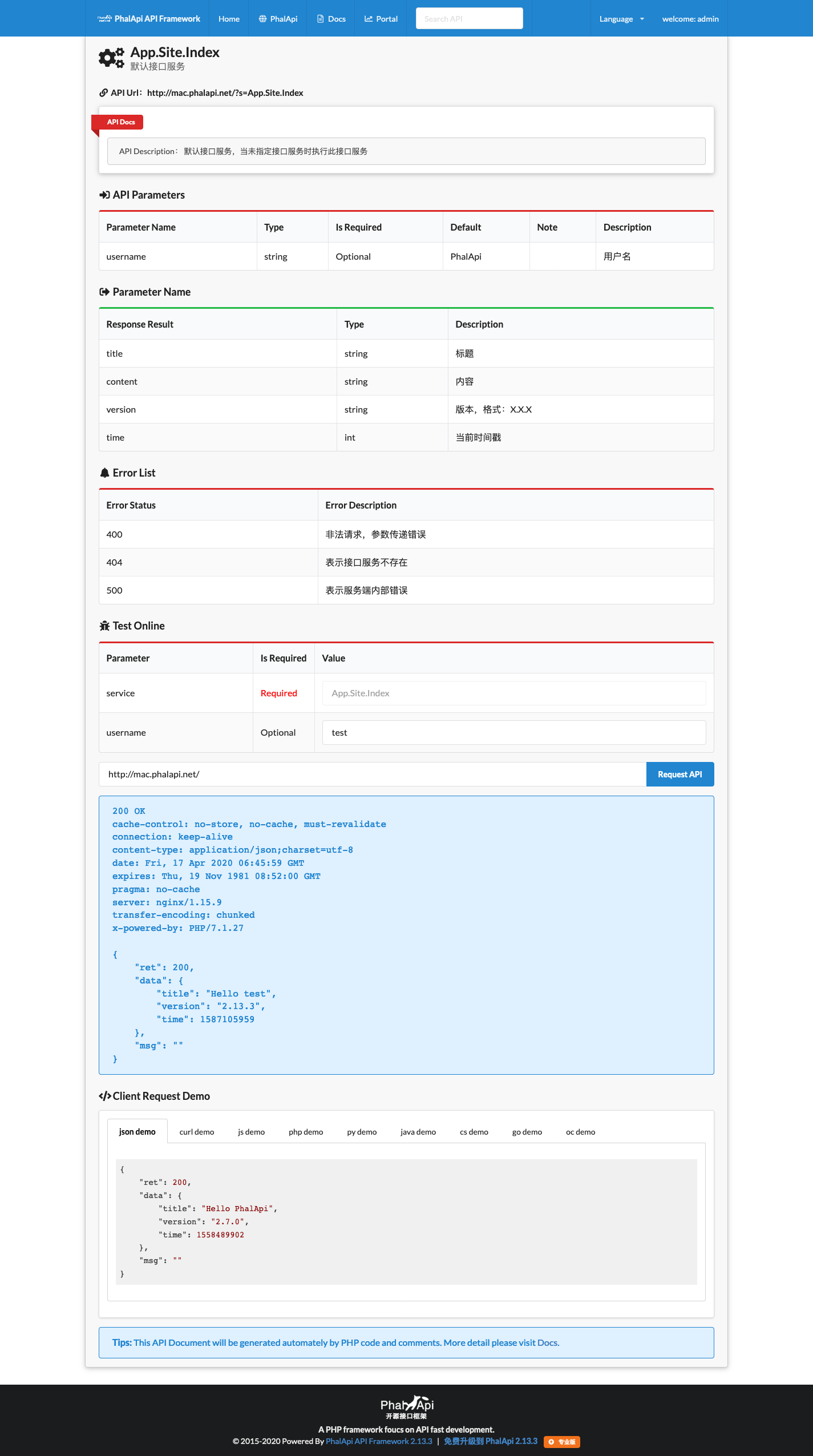
查看在线接口文档 / Visit Online API List Documents
PhalApi会根据你编写的接口的参数配置和代码注释,自动实时生成在线接口文档。在线接口文档链接为:
PhalApi will generate realtime online API documents automatically by PHP code and PHP comments. You can visit them by:
PhalApi will generate realtime online API documents automatically by PHP code and PHP comments. You can visit them by:
- 在线接口文档:http://dev.phalapi.net/docs.php
- Online API Docs:http://dev.phalapi.net/docs.php
浏览效果类似如下:
Preview:

Preview:

进入Portal运营平台 / Use Portal Platform
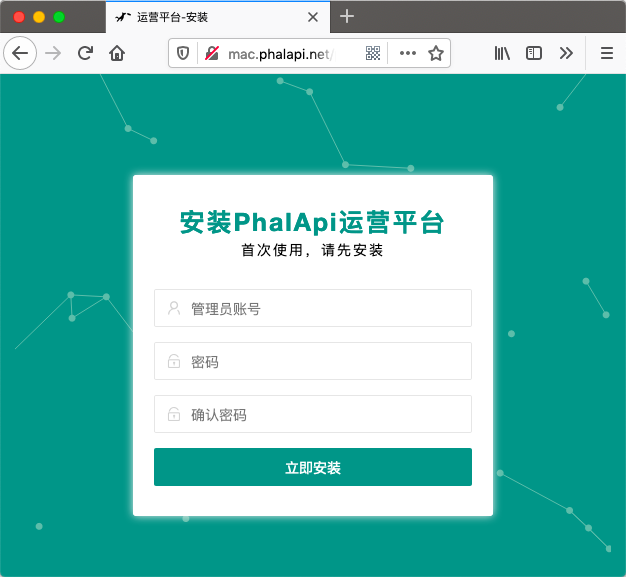
PhalApi采用了当前流行且优秀的layuimin开发全新的管理后台,专门提供给非技术的运营人员使用(技术人员也可使用)。安装Portal前请先配置好数据库连接。如果需要单独升级Portal,可进入应用市场免费下载到本地后安装升级。
PhalApi provides a new management system and we name it Portal.
翻译 / i18n
修改
Edit
./public/init.php文件,可设置当前语言。Edit
./public/init.php file to set current language.// 翻译语言包设定-简体中文
\PhalApi\SL('zh_cn');
// Setting language to English
\PhalApi\SL('en');
一张图告诉你如何使用PhalApi 2.x / All in One Picture
子项目 / Sub Projects
- phalapi/kernal框架内核 / Framework Kernal
- phalapi/notorm数据库包 / Database Library based on NotORM

