HTTP/HTTPS mock tool, based on proxy server.
HTTP/HTTPS mock tool, supports browsers and local server
requests, can be used to mock response data returns and facilitate
development and testing.
Based on Node.js and Electron.
Preview
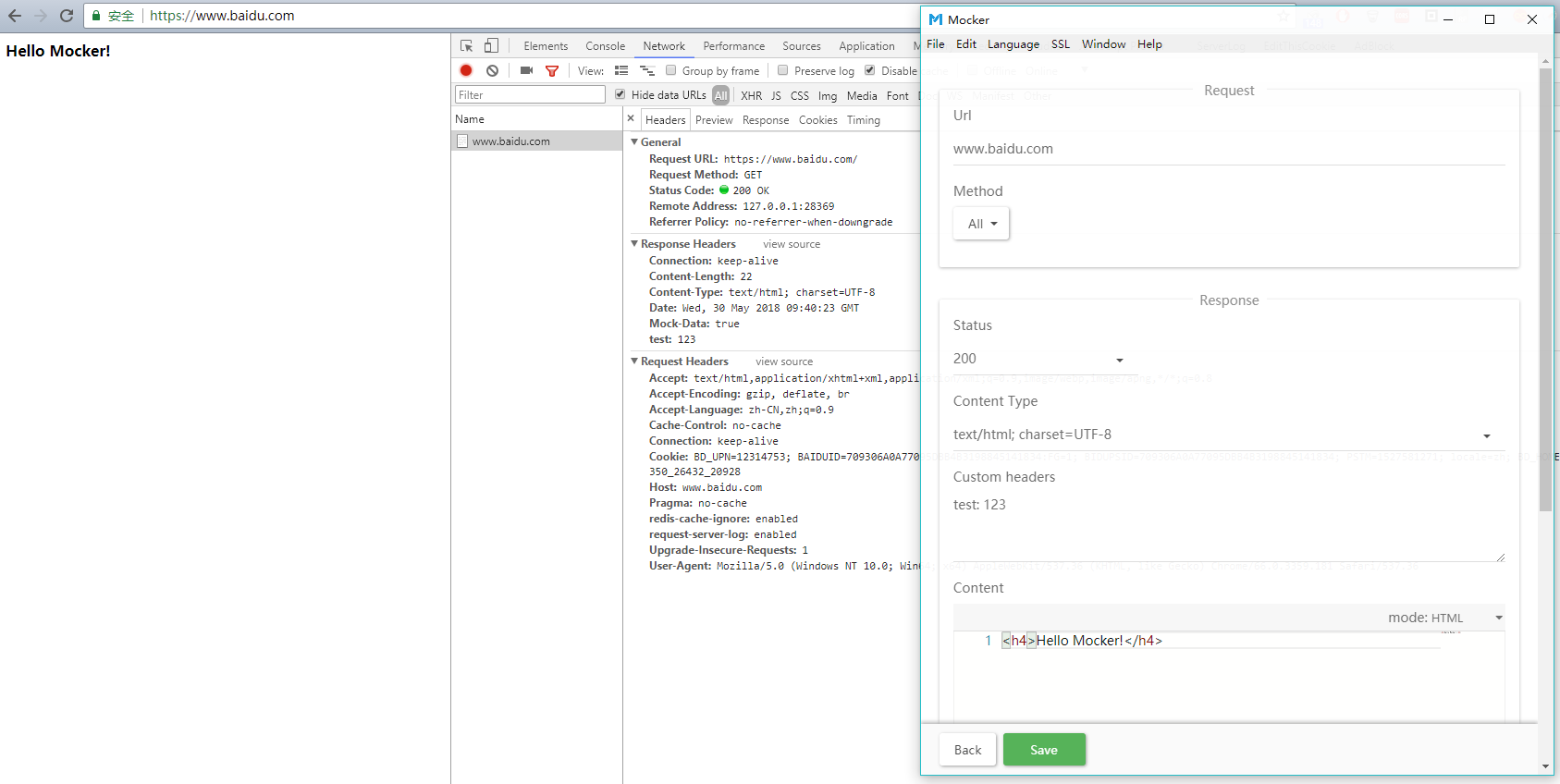
Features
- Intercepting and simulating response based on proxy server mechanism.
- Normally no need to manually set proxy.
- You can mock data without modifying the request link in your code, do not pollute the source code.
- Mock data support requests from browsers and local servers.
- Support HTTP and HTTPS requests, automatically generate local SSL certificates.
- Fully custom response content.
🎁 Download
https://github.com/eshengsky/Mocker/releases
Note
- Currently only support Windows platform.
- Please make sure that your Windows has been installed PowerShell (Win7+ systems are usually installed by default).
- Run Mocker as administrator as possible.
Quick Start
Firstly install Node.js and NPM.
install dependencies
$ npm installlauch app
$ npm startIf you want to lauch the application in debug mode, use:
$ npm run devEnjoy it!
How to package
You can use electron-packager to package the program to distribute the app.
install electron-packager
$ npm install -g electron-packagerpackage app
After complete Quick Start, go into the directory which app you want to package, execute:
$ npm run packageNote
In the packing process, electron-packager will automatically download the required files and store it in user/yourname/.electron, automatic downloading may be slow, it is recommended that use download tool to download the files in Electron Release then put in the above directory.
FAQ
-
How to mock https response?
ClickMockermenu barSSL-Download certificate..., save the SSL certificate to any location, then clickSSL-Open certmgr, chooseTrusted root certification authority-certificate, right click and chooseall tasks-import, select the certificate you just downloaded, and the other options default, complete the import. -
How to mock data sent by local servers (such as Node.js server)?
Mockeris based on proxy servers, so you only need to set agent ashttp://127.0.0.1:28369orhttps://127.0.0.1:28369. Take Node.js server as an example, useset HTTP_PROXY=http://127.0.0.1:28369&&node ./bin/www. -
I can't get to the Internet after close Mocker.
In normal circumstances,Mockerwill automatically reset the system agent to empty before exiting the program, but in some special cases (such as manually killing process, direct shutdown, program exception, etc.), the system agent may not automatically reset, you need to manually set it, square: open theIE-Internet option-Connection-LAN settings, uncheck the proxy server. -
I can't use it correctly, or did I have an unusual error.
Try to run app as administrator, if still not working, please submit Issue.from https://github.com/eshengsky/Mocker


No comments:
Post a Comment